Need help?
Do you have a question about the GENEVO MAX and is the answer not in the manual?
Enables contactless alert silencing via motion sensor.
Adjusts display brightness automatically based on cabin light.
Adjusts alert volume automatically based on cabin noise level.
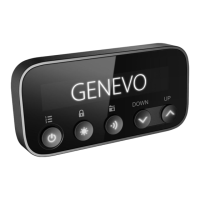
Describes the main interface and controls when the device is idle.
Explains navigation and interaction within the main menu.
Details how to navigate and modify settings within submenus.
Explains how to manage alerts using button presses or gestures.
Configuration options for different alert types and priorities.
Adjusts detector sensitivity for HIGHWAY, CITY, and AUTO CITY modes.
Sets the reduced sensitivity limit for specific K band signals.
Defines sensitivity limits for K and Ka bands within ACITY speed ranges.
Automatically adjusts sensitivity based on vehicle speed.
Sets the minimum speed threshold for radar alerts.
Settings for K band detection, including filtering.
Recommends monthly updates and provides links for software downloads.
 General
| Detection Bands | X, K, Ka, Laser |
|---|---|
| Display | OLED |
| GPS | Yes |
| Power Supply | 12V DC |
| Type | Radar Detector |
| Voice Alerts | Yes |
| Laser Detection | Yes |
| Directional Arrows | No |
| Detection Range | Long range |
| Auto Mute | Yes |
| False Alert Filtering | Yes (advanced) |
| Firmware Updates | Yes (via USB) |
| Speed Camera Database | Yes |

 To Next Page