
 Need help?
Do you have a question about the Geniatech ATV3200 and is the answer not in the manual?
Safety warnings regarding electric shock, fire hazards, and proper usage conditions.
General safety instructions for operation, cleaning, and placement to prevent damage.
Cautions on exposure to liquid, overloading sockets, and handling abnormal product conditions.
Lists all items included in the product box, both standard and optional.
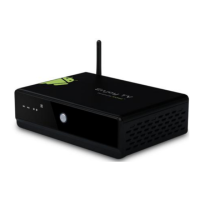
Details the hardware and software specifications and capabilities of the ATV3200.
Identifies and describes the physical buttons and ports on the device.
Diagram and list of all buttons on the remote control and their functions.
Provides instructions and diagrams for connecting the device to a TV and power.
Describes the boot-up sequence and the initial home screen display.
Steps to scan for and connect to available Wi-Fi networks.
Instructions for connecting to a network using an RJ45 cable.
Displays information about data usage by applications.
Access to additional network settings like VPN and proxy.
Adjusts system volumes, notification sounds, and touch sound settings.
Settings for font size and wireless display.
Displays internal and SD card storage usage details.
Lists all installed applications on the device.
Controls app access to location services and network location.
Manages device administration, unknown sources, and credential storage.
Configure system language, keyboard, and text-to-speech settings.
Options for backing up data and resetting the device to factory defaults.
Allows adding new user accounts like Google or corporate accounts.
Set date, time, time zone, and time format for the device.
Accessibility features like screen readers and large text.
Advanced settings for debugging and app development.
Displays device information such as model, Android version, and firmware.
Troubleshooting steps for when the display shows no image.
Resolves issues with reading content from USB storage devices.
Tips for fixing unresponsive remote control buttons.
Advice on completing firmware updates efficiently.
 General
| Brand | Geniatech |
|---|---|
| Model | ATV3200 |
| Category | Set-top boxes |
| Language | English |

 To Next Page