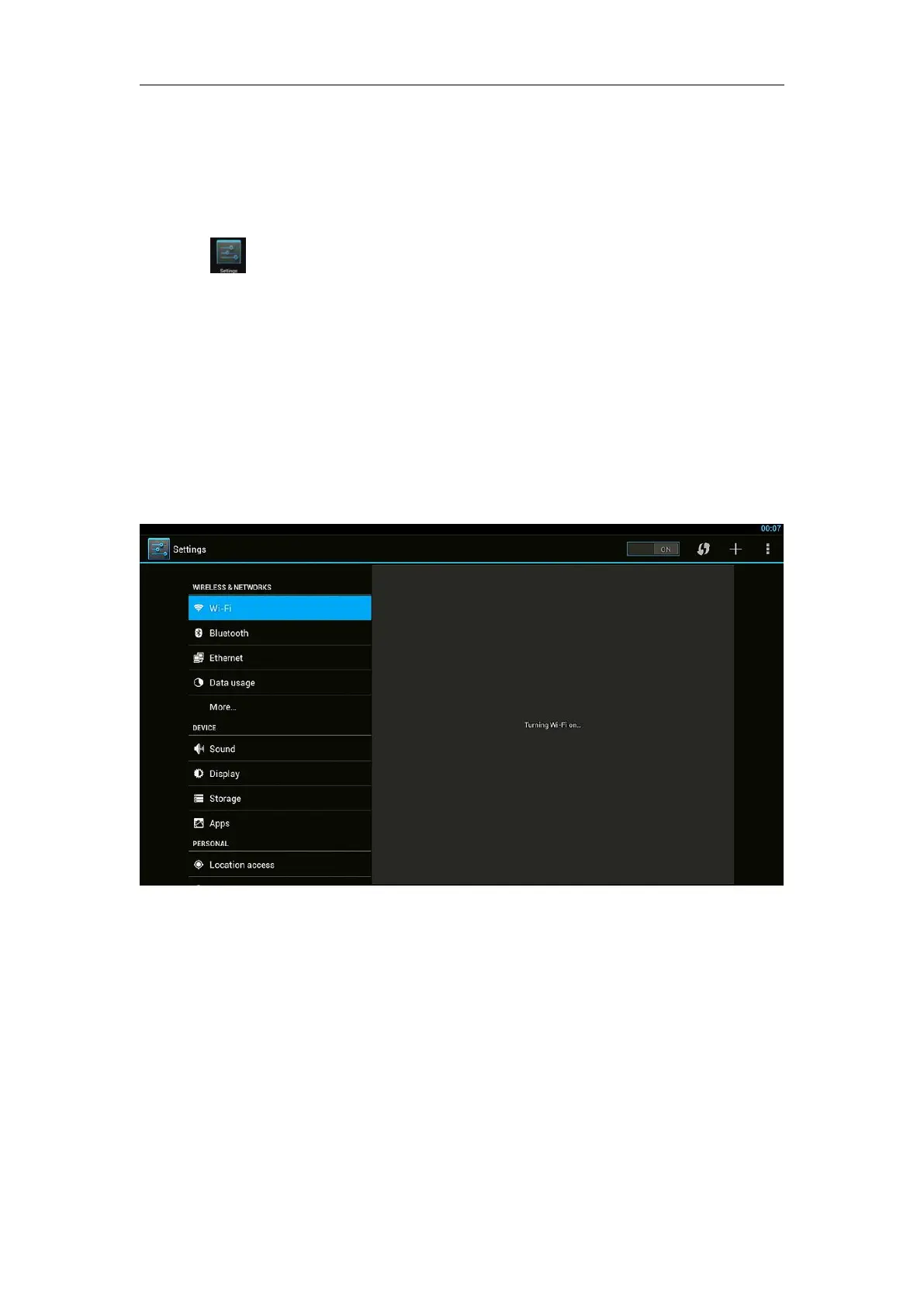
3. Settings
Using Navigation (4 directions), OK, EXIT, and Menu keys of Remote Controller
to select the options, the option selected will be highlighted and confirmed by
pressing OK key. Same operation for text input if needed.
Select icon then press OK key.
3.1 WiFi
3.1.1 It will automatically scan ambient WiFi networks when select “ON”.
3.1.2 Connect an available WiFi network. If connect a secured WiFi network,
corresponding password will be input firstly. Or fail to connect and need reset
password.
3.1.3 Once build up the connection with a certain WiFi network successfully,
ATV1220M will connect this WiFi network automatically when restart.
Note: If factory reset, the password of WiFi network have to be reset.
3.2 Ethernet
Connect Box and Router by RJ45 network cable.
Press “ ON” in Ethernet setting, it will connect to network automatically.


 To Next Page