Home
Geniatech
Set-top boxes
ATV3200
Page 8 (Display when Power Up)
Geniatech ATV3200 - Display when Power Up
20 pages
Manual
Save Page as PDF
To Next Page
To Next Page
To Previous Page
To Previous Page
Loading...
8
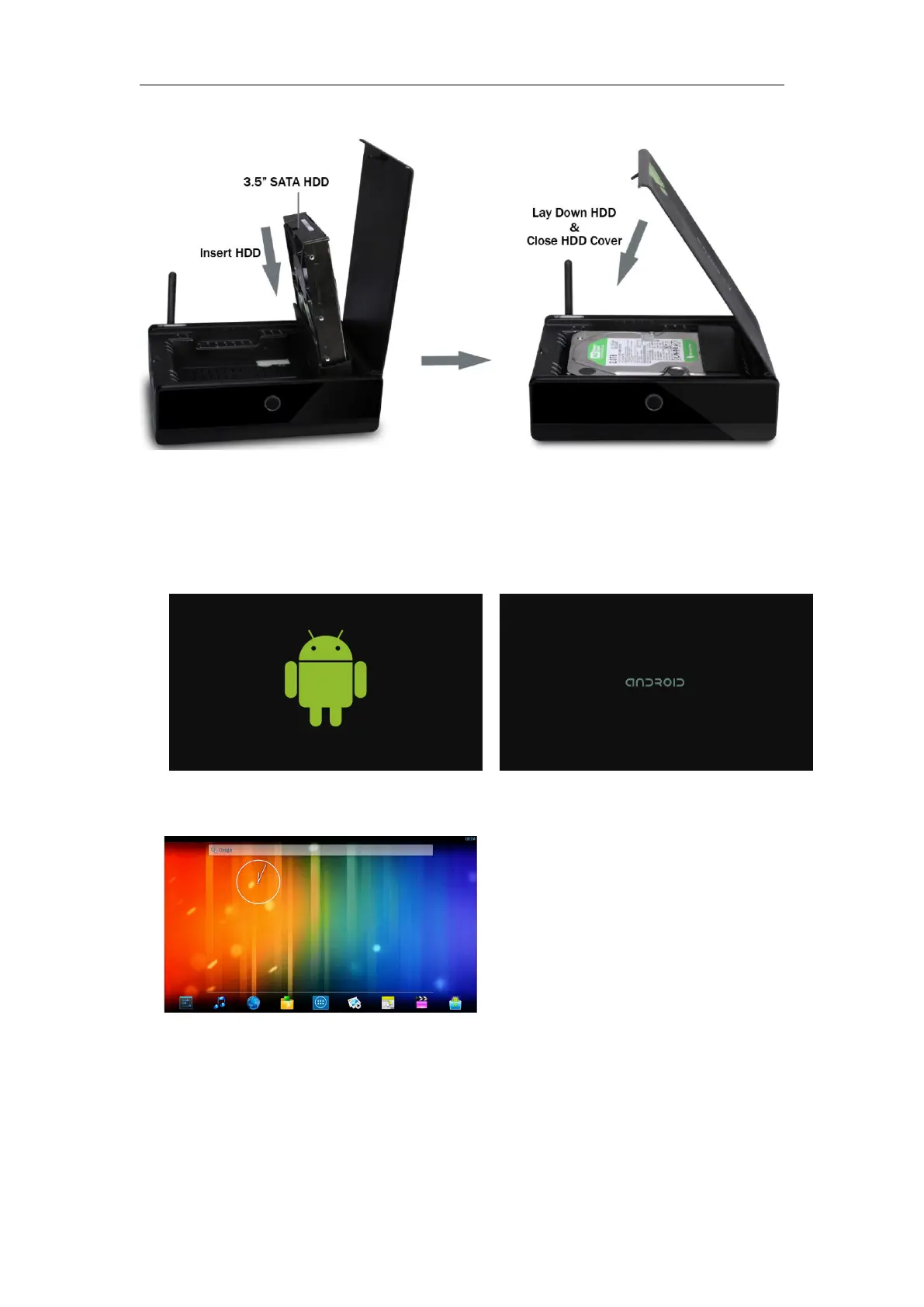
HDD
Installati
on
and
U
ninstallatio
n
2.6
Display
when
P
ower
Up
2.6.1
Af
t
er
power
up,
the
TV
wil
l
fi
r
st
show
a
green
robot
th
en
change
to
“android”
logo
during
lo
adi
ng.
When
loading
i
s
fi
nishe
d,
i
t
wi
ll
go
to
Home
screen.
2.6.2
Hom
e
Screen
di
splay
.
7
9
Table of Contents
Main Page
Table of Contents
2
Safety Information
3
Warning, P3
3
Precautions, P3
3
Handling Cautions, P4
4
Introduction
5
Package Contents, P5
5
Product Features, P5
5
Panel Introduction, P6
6
Remote Controller, P6
7
Setup Connection, P7
7
Display When Power Up, P7
8
Settings
9
Ethernet, P8
9
Date Usage, P9
10
More
10
Language & Input, P13
14
Backup & Reset, P14
15
Add Account, P14
15
Date & Time, P15
16
Developer Options, P16
17
About Device, P16
17
Apps Install & Uninstall
18
Firmware Update
18
Trouble Shooting/Faq
18
Repairs
18
Specification
19
Trademark Notice
20


 To Next Page