4. Apps Install & Uninstall
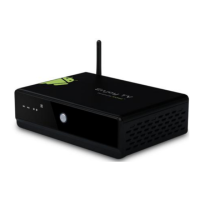
On ATV3200, you can install apps from Android Market over the Internet or
other sources, such as other online sources, the internal storage and the USB
storage device and SD card that you have mounted onto ATV3200.
You also can manage apps on ATV3200 and SD card, install/uninstall apps,
stop running apps, or select other options.
5. Firmware Update
You can download newest firmware from Geniatech Official website:
www.geniatech.com
6. Trouble Shooting/FAQ
6.1 No Picture
Refer to the TV user manual for how to select the correct video input channel.
6.2 USB Content cannot be read
. The format of USB storage device is not supported
. The supported memory size is 32G maximum.
. Make sure that this player supports these files.
6.3 Remote Controller cannot respond quickly to the pressing of keys
Make sure that batteries have enough power.
6.4 The firmware updating is not complete after a long time
If you update the firmware over the online service, it may take a long time to
download the firmware update files from the server. To save your time, update
the firmware through the SD card.
7. Repairs
If you contact us to repair your player, an administration fee may be charged if
either:
7.1 An engineer is called out to your home at your request and there is no
defect in the product.
7.2 You bring the unit to a repair center and there is no defect in the product.
We will provide you with the amount of the administration fee before we make
a home visit or begin any work on your player.
We recommend you read this manual throughly, search for a solution on line
at www.geniatech.com, or contact Geniatech Customer Care before seeking to
repair your player.


 To Next Page