User manual of Kloud Note v2.0 www.geniatech.com
Copyright © 2021 Shenzhen Geniatech Inc, Ltd. All rights reserved.
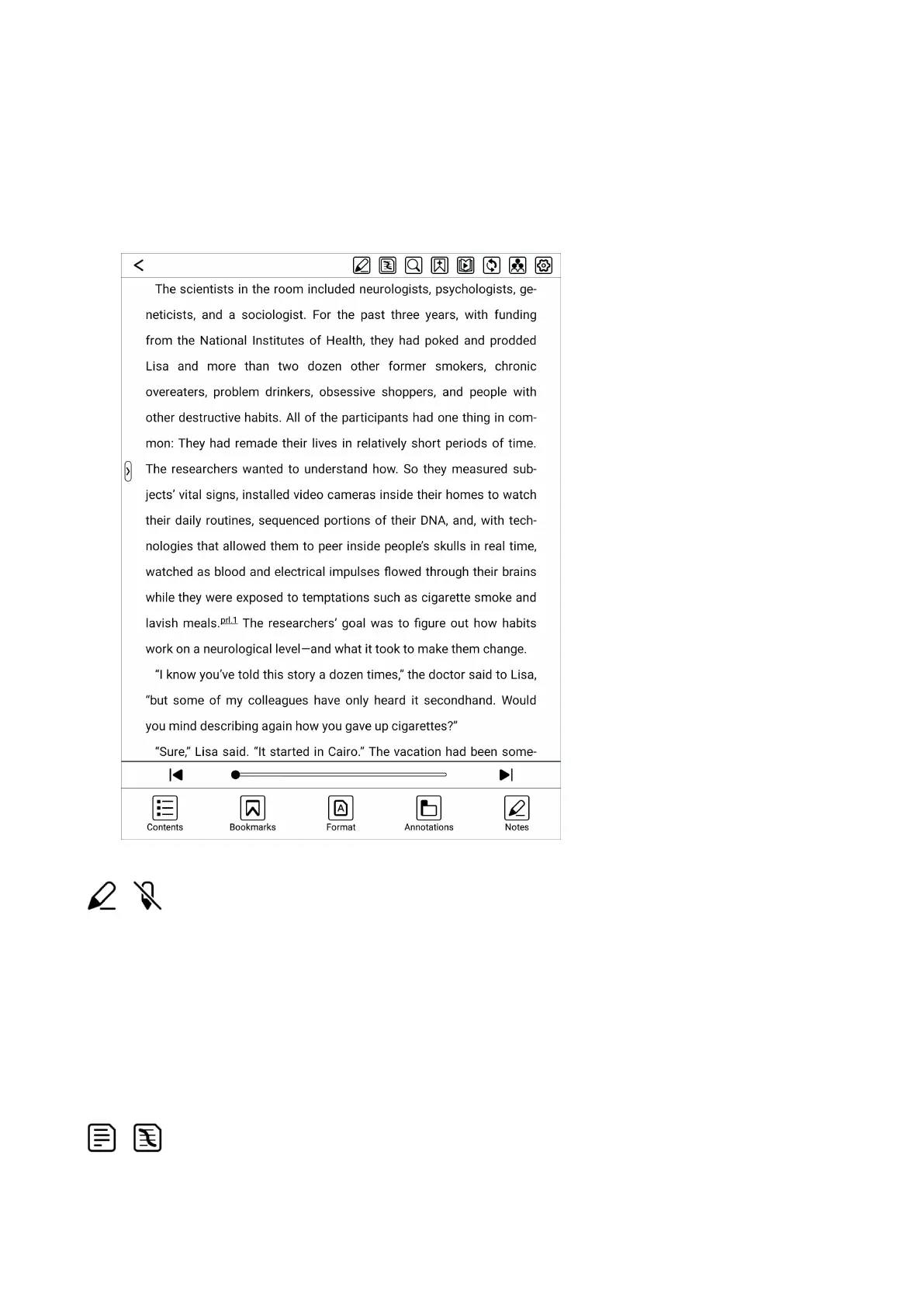
refresh, share, settings.
The bottom menu includes: previous chapter, progress adjustment, next
chapter, contents, bookmarks, format/display, annotations and notes.
Enable/disable handwriting
When handwriting is disabled, the electromagnetic pen cannot write on the
book. At this time, the operation function of the pen is the same as that of hand
touch.
Show/hide handwritten notes
When you only want to read the original content of the book and don't need to


 To Next Page