User manual of Kloud Note v2.0 www.geniatech.com
Copyright © 2021 Shenzhen Geniatech Inc, Ltd. All rights reserved.
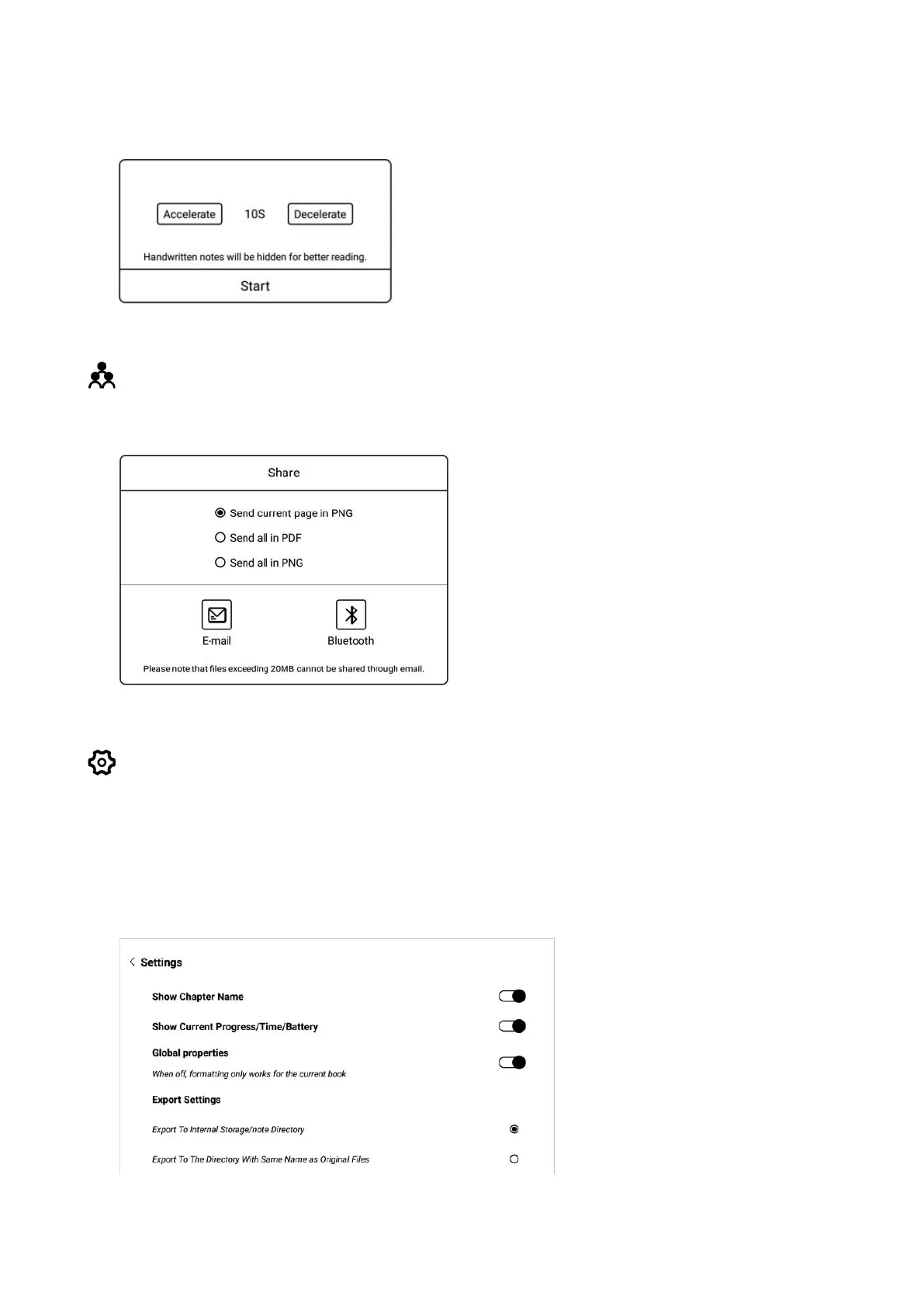
click this icon to turn it on. The page turning interval can be set freely.
Share
Book with notes can be shared via Email or Bluetooth.
Settings
You can set reading related properties here, such as: Show/hide chapter name,
reading progress/time/power, global properties of format, export file storage
address, etc.


 To Next Page