EasyManua.ls Logo

Genie 3053 - User Manual

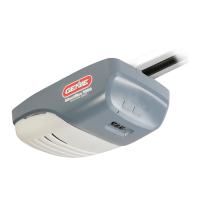
Genie 3053
35 pages
Print Icon
To Next Page IconTo Next Page
Loading...
User Manual of Product 1:
Genie Chain Drive 750 3/4 HPc Garage Door Opener w/Battery
Backup - Heavy Duty Chain Drive - Operate your garage door
when the primary power is out - Wireless Keypad Included,
Model 7035-TKV,BLACK
User Manual of Product 2:
GENIE G3T-R 3-Button Remote with Intellicode Security
Technology Controls Up To 3 Garage Door Openers, 1 Pack,
Original Version

Other manuals for Genie 3053

Questions and Answers

  • J
    jwillisSep 7, 2025
    How to fix a Genie 3053 Garage Door Opener that runs, but the door does not move?
    • T
      Tiffany JohnsonSep 7, 2025
      Ensure the carriage is engaged with the chain/belt turnbuckle. Also, check to make sure the chain/belt is not broken or off its pulley.
  • B
    Brandon RogersAug 22, 2025
    What to do if Genie Garage Door Opener doesn't work with wall control?
    • V
      velasquezmichaelAug 22, 2025
      If your Genie Garage Door Opener doesn't respond to the wall control, try the following: * Turn Sure-Lock™ OFF. * Check the power source by plugging a lamp into the outlet used for the powerhead. If the lamp works, the power source is OK. If not, check the fuse or circuit breaker. * If the power source is working, check the connections at the powerhead terminals and at the wall console. * Inspect the wiring for any reversed, broken, or cut wires. Repair or replace any damaged wires, as staples can sometimes cut the insulation and short the wires.
  • W
    wendywallSep 4, 2025
    Why does my Genie 3053 Garage Door Opener work from the wall control but not from the remote?
    • M
      Mary HarrisSep 5, 2025
      Check all remotes and replace the remote battery. Program the remotes to the powerhead.
  • T
    timothy22Sep 3, 2025
    Why does my Genie Garage Door Opener stop before fully opening?
    • T
      Terry WadeSep 3, 2025
      If your Genie garage door starts to open but stops before it is completely open, try these solutions: * Check if the limits are properly set and adjust them as needed. * Ensure the door, opener, and springs are in good repair, properly lubricated, and balanced. * Check the closing/opening “FORCE” control.
  • A
    Anne MccarthySep 2, 2025
    Why does my Genie 3053 Garage Door Opener stop before closing?
    • D
      Dana BridgesSep 2, 2025
      If your Genie garage door starts to go down but stops before it fully closes, or if the door will only open, try the following: * Check the Safe-T-Beam® wire connections at the powerhead and at the STBs. * Make sure the limits are properly set, and adjust them if necessary. * Check the CONTACT REVERSE feature. * Inspect the garage door for any binding. * Check the closing “FORCE” control.
  • T
    Terry KennedySep 1, 2025
    What to do if Genie 3053 Garage Door Opener door stops and goes back up?
    • J
      josephevansSep 1, 2025
      If your Genie garage door starts to close but then stops and goes back up, or if there's a Safe-T-Beam® System malfunction, try these steps: * If it's a new installation, verify the Door Arm position. * If it's a new installation, ensure that ONLY the Safe-T-Beams® that came with the opener are installed. * Check the limit settings and adjust them if needed. * See if the Safe-T-Beam® red LED is flashing. * Check the Safe-T-Beam® system for any beam obstruction or misalignment of the lenses. * Check the garage door for any binding. * As a temporary solution, press and hold the wall control button until the door is completely closed. * Check for interference from adjacent Safe-T-Beam® units.
  • T
    Thomas HodgesAug 30, 2025
    Why does my Genie Garage Door Opener remote have short range?
    • M
      Michael BrayAug 30, 2025
      If your Genie garage door opener remote has a limited operating range or isn't working at all, consider these solutions: * Try relocating the remote inside your car and/or point it directly at the garage door. * Replace the remote battery. * Reposition the door opener antenna. * Identify and eliminate any potential competing signals from other devices (like radios). * Be aware that LED bulbs might interfere with the remote signal.
  • M
    Miguel ValentineAug 29, 2025
    Why does my Genie Garage Door Opener run slow?
    • J
      Jessica MaysAug 29, 2025
      Check the operating condition of the door. The door may need professional repair or adjustment. Also, verify if this opener is installed on a one-piece door, as this opener is not designed to operate a one-piece door.
  • H
    Haley PaulAug 27, 2025
    What to do if my Genie 3053 Garage Door Opener doesn't operate when the wall control is pressed?
    • C
      Cathy TranAug 27, 2025
      First, turn Sure-Lock™ OFF. Next, check the power source by plugging a lamp into the outlet used for the powerhead; if the lamp works, the power source is OK. If not, check the fuse or circuit breaker. Also, check the connections at the powerhead terminals and at the wall console. Finally, check for reversed, broken, or cut wires, and repair or replace them as needed.
  • C
    Courtney GibbsAug 27, 2025
    What to do if my Genie 3053 starts down, then stops and goes back up?
    • R
      Robert HallAug 27, 2025
      If this is a new installation, verify the Door Arm position and ensure you're only using the Safe-T-Beams® that came with the opener. Check if the limits are properly set, and adjust them if necessary. Inspect the Safe-T-Beam® system for a flashing red LED or any beam obstruction or misalignment. Ensure the garage door isn't binding. If an operational problem exists and the opener won't close, you can force it to close by pressing and holding the wall control button until the door is completely closed. Also, check for interference from adjacent Safe-T-Beam® units.

Summary

1 SAFETY NOTIFICATIONS & INSTRUCTIONS

Important Safety Instructions

Details critical safety guidelines for operating and maintaining the garage door opener.

Important Installation Instructions

Provides essential safety guidelines specifically for the installation process of the opener.

2 SAFETY & STANDARD FEATURES

Safe-T-Beam (STB) Non-Contact Reversing System

Describes the safety beam system that prevents door closure on obstructions.

Safe-T-Reverse Contact Reversing System

Details the system that reverses the door upon contact with an object.

Intellicode

Explains the security encryption system that changes the access code with each use.

3 OPENER PROGRAMMING

Door Travel Limits

Setting the programmable limits for the door's upward and downward travel.

Force Setting Program

Adjusting the force required for opening and closing the door.

Remote Programs

Synchronizing remote devices like keypads and transmitters with the powerhead.

Programming Down Travel Limit

Step-by-step instructions for setting the door's fully closed position.

Programming Up Travel Limit

Step-by-step instructions for setting the door's fully open position.

Programming Force and Contact Reverse

Procedures for setting force controls and testing contact reverse functionality.

Programming Additional Remote Controls

Steps for programming extra remote controls to the opener.

4 MAINTENANCE & ADJUSTMENTS

Contact Reverse Test

Procedures for testing the door opener's contact reverse safety feature.

Safe-T-Beam (STB) System Check

How to check the proper functioning and alignment of the Safe-T-Beam system.

Door Balance (Spring Tension)

Procedures to check and adjust the door's balance and spring tension.

5 TROUBLESHOOTING

Opener does NOT operate when wall control is pressed.

Solutions for when the wall control fails to operate the opener.

Opener runs, but door does not move.

Troubleshooting steps for when the opener motor runs but the door remains stationary.

Opener works from wall control, but NOT from remote.

Steps to resolve issues where the remote control is not communicating with the opener.

Door starts down, then STOPS and goes back up. OR Safe-T-Beam System malfunction.

Diagnosing and fixing issues where the door stops and reverses, or the Safe-T-Beam fails.

Door starts down, then STOPS before it is closed. OR Door will only open.

Troubleshooting steps for doors that stop prematurely during closing or only open.

Door starts up, but STOPS before it is completely open.

Steps to fix issues where the door stops before reaching its fully open position.

POWERHEAD LEDS

Explains powerhead LED indicators and their corresponding problems and solutions.

7 OPTIONAL PROGRAMMING & ACCESSORIES

Clearing Memory of Remotes

How to erase all programmed remotes and keypads from the opener's memory.

WIRELESS KEYPAD PROGRAMMING

STEP 2 A) PROGRAMMING THE KEYPAD TO 1 OPENER

Programming the keypad to control a single garage door opener.

STEP 2 B) PROGRAMMING THE KEYPAD FOR MULTIPLE OPENERS (UP TO 3)

Programming the keypad to control up to three garage door openers.

9 DASMA INFORMATION

Reversal Test

Instructions on how to test the garage door opener's safety reversal feature.

Force Setting Test

How to test the force setting of the garage door opener during closing.

3 Button Remote Programming Instructions

Programming a Remote to your Opener

Step-by-step instructions for pairing a remote to the garage door opener.

Genie 3053 Specifications

General IconGeneral
Drive TypeChain Drive
Horsepower1/2 HP
Voltage120V AC
Safety SensorInfrared safety sensors
SecurityRolling code technology

Related product manuals