__________________________________________________________________________________________ENGLISH
______________________________________________6____________________________________________________
4. System Requirement and Installation
This device must be applied on USB specification products. You should confirm your PC
operation USB function, USB 1.1 or 2.0.
Case 1--No external driver installed:
• OS Support: Win98SE, WinME, Win2000, WinXP, Mac OS 9.0 and 10.1
• System recommended: use Intel Pentium III or AMD K6 500 CPU above
• At least 256MB RAM
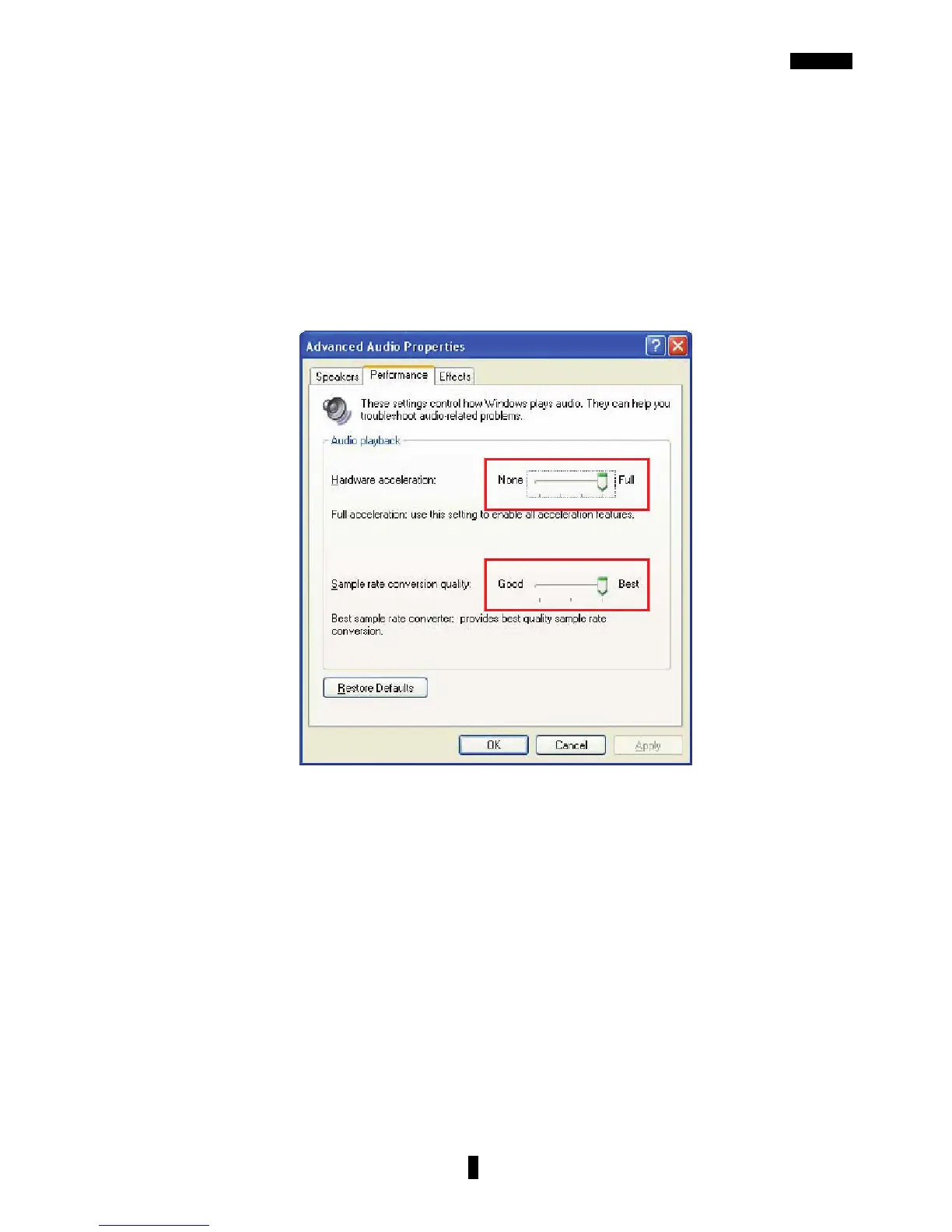
• At least 50 MB hard disk space For good sound quality, please adjust your system’s H/W
acceleration and Sample rate conversion quality to Full and Best.
Note: Some USB Host Controllers may have problem with data stream package loss, this will
influence output audio data and make some discontinuous sound. But this is very rare.
Sometimes, if you plug a USB Personal Multi-media Device on PC system and OS
cannot auto change audio device to USB audio, please switch the audio device to USB
audio sound and audio devices properties in control panel.
Case 2--Install Xear 3D technology driver:
• OS Support: Win98SE, WinME, Win2000, WinXP
• System recommended: use Intel Pentium III or AMD K6 500 CPU above
• At least 512MB RAM
• At least 50 MB hard disk space
• Supports direct sound 3D
Note: Windows OS has default USB driver support, but does not support HRTF 3D, EAX ,
Virtual Multi-channel sound effect and Dolby Digital sound DSP function. If you want to
enjoy these fancy features, you must install the Xear 3D sound audio driver.



 To Next Page