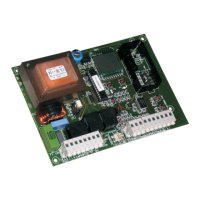
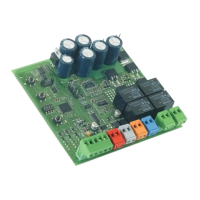
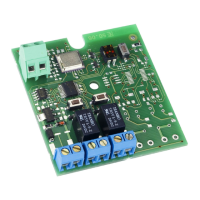
Pos. Description Pos. Description
P1 Parameter selection push-button DL7 OPEN radio input signalling LED
P2 Parameter adjustment push-button LCD Display
RESET Reset push-button
5. CONNECTIONS AND OPERATION
5.1. CN1 TERMINAL BOARD
5.1.1. Power supply (Fig. 2)
Terminals “1 & 2”. Connect, to these terminals, the two cables coming from the 230 Vac or 115 Vac power supply line.
Connect the neutral wire to terminal “2” and the phase to terminal “1”.
5.1.2. eArthing (Fig. 2)
Terminal “ “ ”. Connect the yellow-green power cable to this terminal.
This connection is absolutely necessary for correct operation of the control unit.
5.2. CN2 TERMINAL BOARD
5.2.1. motor (Fig. 3)
Terminals “ “4 & 5”. 24 Vdc output. Connect the motor power cables to these terminals. The following table shows the connection
sequence for the motor cables according to the installation type:
Installation type
Cable colour
Terminal 4 Terminal 5
Left hand installation (the beam closes on the operator right) Blue Brown
Right hand installation (the beam closes on the operator left) Brown Blue
5.2.2. opening trAvel limit FcA (Fig. 3)
Terminal “ “6“. Connect, to this terminal, the wire of the NC contact of the opening travel limit. The activation of this contact
enables to identify the beam in open position. The status of this input is signalled by LED FCA.
5.2.3. trAvel limit common contAct com (Fig. 3)
Terminal “ “7”. Connect, to this terminal, the wires of the common contact of both travel limits FCA and FCC.
This input must be used only for the connection of both travel limits common contact. Do not use it as a negative contact
of other accessories.
5.2.4. closing trAvel limit Fcc (Fig. 3)
Terminal “ “8”. Connect, to this terminal, the wire of the NC contact of the closing travel limit. The activation of this contact
enables the identification of the beam in closed position. The status of this input is signalled by LED FCC.
Both travel limits FCC and FCA are only used to identify the rod position.
The connection of both travel limits is absolutely necessary for correct operation of the control unit.
The table below shows the connection sequence of both travel limit wires according to the installation type:
Installation type
Cable colour
Terminal 6 Terminal 7 Terminal 8
Left hand installation (the beam closes on the operator right) Brown Blue Black
Right hand installation (the beam closes on the operator left) Black Blue Brown
5.3. CN3 TERMINAL BOARD
5.3.1. FlAshing lAmp (Fig. 4)
Terminals “ “12 & 15”. Output 24 Vdc max.15 W. Connect, to these terminals, the power cables of both luminous strips (sold as
separate parts) which must be positioned on the operator’s sides. Both strips stay OFF when the rod is at rest, both at opening
and closing, whereas they flash when the rod is moving. Before each manoeuvre, the strips pre-flash for 0.5 seconds (not
modifiable) to indicate the upcoming beam movement.
If the “service request” function was activated (see paragraph 9), the strips perform a rapid pre-flashing sequence of 5 seconds
at the end of the closing movement. See paragraph 9.1 for the operation of this function and for the cycle resetting.
As an alternative you can connect an external steady light flashing lamp with max. power supply of 24 Vdc 15 W. The flashing
operation is controlled by the control unit.
During the control unit programming phase and the adjustment of the function parameters, the flashing lamp stays ON
with steady beam.
When connecting the lamp, please observe the polarity of the terminals - terminal 12 is the positive pole.


 To Next Page