10
Options
Using the flash
Your camera is equipped with a flash. We recommend that you use the flash within this distance (1.5m
~ 3m) for optimum pictures.
Turning the flash on/off
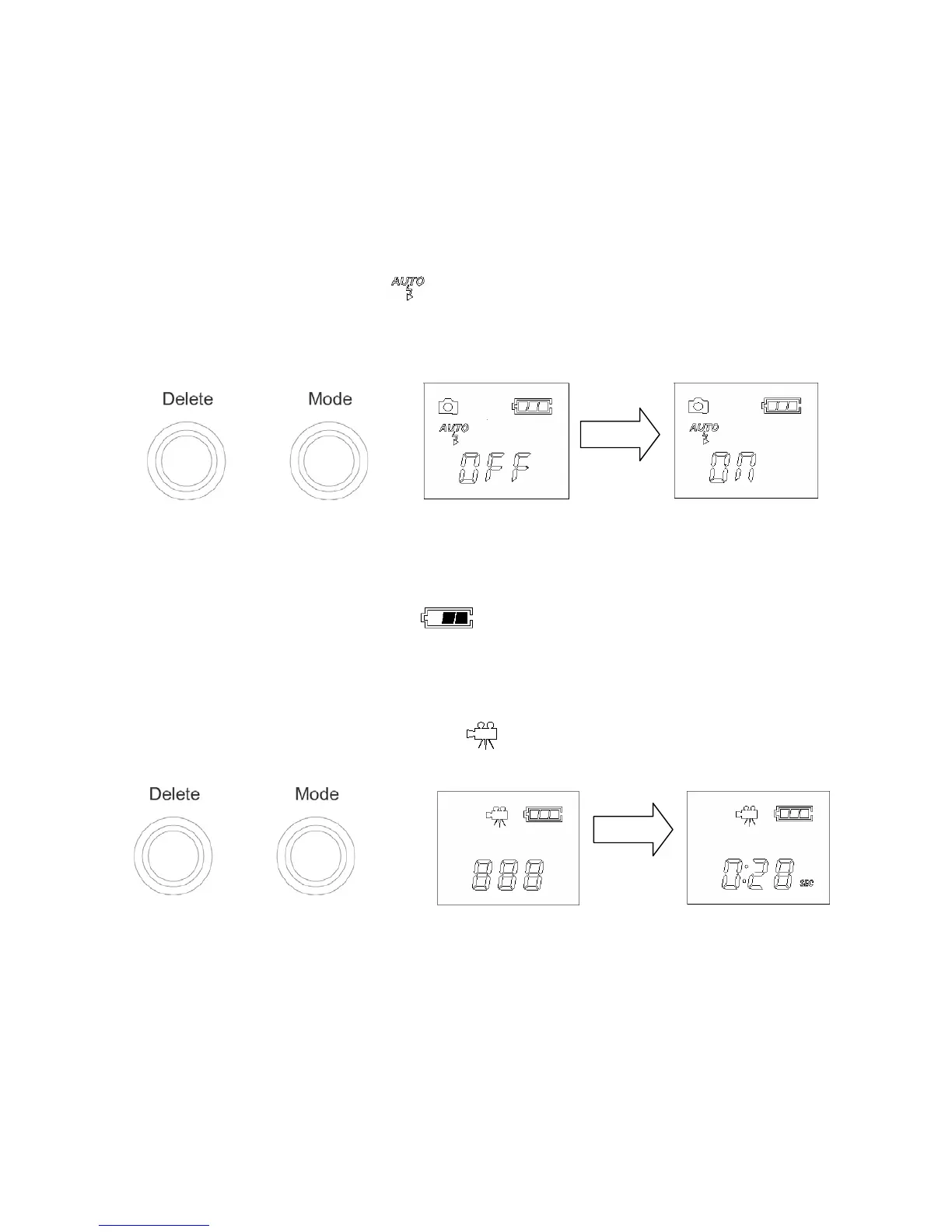
Press the MODE button until the icon
appears. Then press the Shutter to enable the flash and
you will see the FLASH indicator blink. After the FLASH indicator stops blinking, your camera has been
charged and you can use the flash.
Note: During the charging, the FLASH indicator blinks. When the charging is completed, the FLASH
indicator will stop blinking. When this icon
blinks, you can’t use the flash.
Capturing Motion Video
The capturing motion video function allows you to capture motion video. To use this mode, press the
Mode button until the capture motion video icon
appears.
Now press the Shutter and hold it until the timer begins to run. Release the Shutter to stop capturing
motion video.


 To Next Page