15
STARTING UP THE GENERATOR
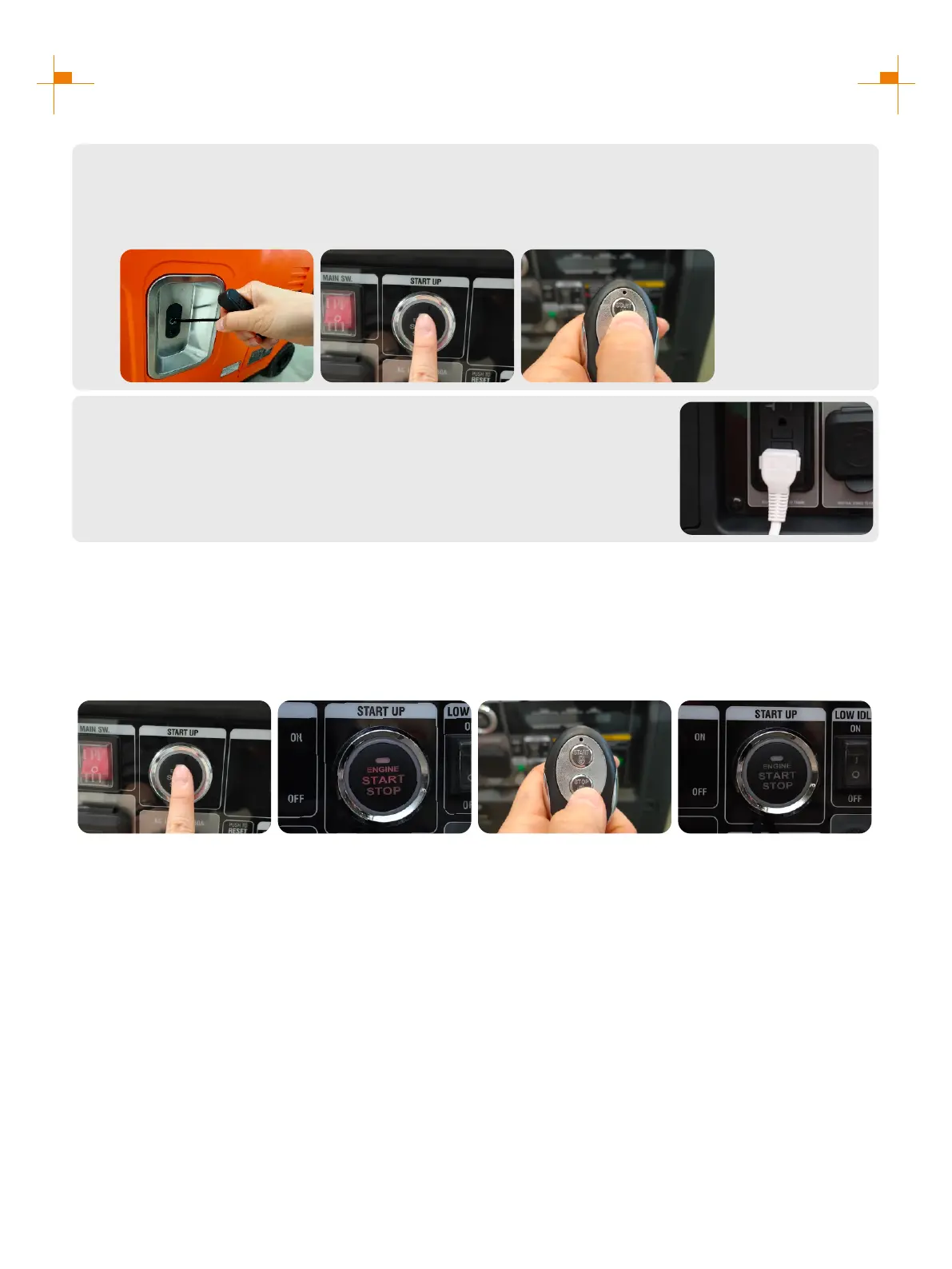
Select Boot Mode:
a. Hand Starting: Pull the starting handle to start the generator.
b. One Button to Start: Press the one-click start button to start the generator.
c. Remote Start: Press the "START" button on the remote control to start the generator.
6.
a.
b.
c.
Plug in after started.
7.
Remote Control Pairing
1. Long press the start button for more than 5 seconds until the button red indicator is on;
2. Press any key on the remote control;
3. The red indicator of the start button will blink two or three times and then turns off, Remote start pairing is
successful.
Tip: The remote control delivered with the generator has been paired successfully.
1. 2. 3.1 3.2


 To Next Page