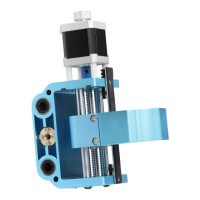
Need help?
Do you have a question about the Genmitsu CNC PROVerXL4030 and is the answer not in the manual?
A 5.5W blue diode laser with a wavelength of 445nm, mounted in a heat sink with a cooling fan.
Acts as an interface between the laser head and CNC, processes PWM signals, and can be mounted on aluminum profiles.
Details external power source, Fire/PWM button, and 2/3-pin connectors for PWM control and power.
Disconnect spindle motor, remove it from mount, and remove M5 screws before mounting the laser.
Slide two M3 x 10mm T-nuts into the profile above existing M5 T-nuts.
Align and fix the Laser Controller Module to the profile using M3 x 6mm screws and tighten nuts.
Fix the laser head to the bracket using four M3 x 8mm socket cap screws.
Align and fix the laser head bracket to the profile using four M5 x 10mm screws.
Final step confirming the installation of the laser module is finished.
Connects the Laser Control Module to the PROVerXL 4030 using a 3-pin cable for GND, PWM, and +12v.
LaserGRBL is a free program for Grbl routers, used for laser setup, GCode sending, and image conversion.
Configure LaserGRBL settings by enabling 'Click'n Jog' for easier Z-axis movement.
Download and import custom buttons for LaserGRBL from SainSmart WIKI to enhance functionality.
Explains functions of added buttons like 'Laser Mode ON' and '2Sec' for laser control and power.
Use LaserGRBL and the alignment tool to set the correct laser height for focused cutting or engraving.
Test laser focus using Z-axis controls and Laser Fire button to achieve the smallest laser dot.
Set the $32 parameter to 1 in Grbl for laser operation to prevent unwanted lines during movement.
Disconnect spindle, remove it, and slide laser head into the motor mount, positioning it correctly.
Connect laser head cables to the cooling fan and laser diode sockets, and the 3-pin port to the controller board.
Documents the compliance of the 5.5W laser module with electrical safety and EMC standards.
 General
| Brand | Genmitsu |
|---|---|
| Model | CNC PROVerXL4030 |
| Category | Industrial Equipment |
| Language | English |

 To Next Page