EasyManua.ls Logo

Genmitsu 3018-PROVer - User Manual

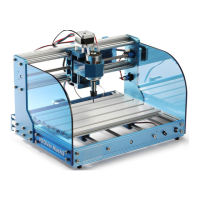
Genmitsu 3018-PROVer
85 pages
Print Icon
To Next Page IconTo Next Page
Loading...
V1.3 Mar. 2022
USER MANUAL
Genmitsu
CNC Router 3018-PROVer
Contents / コンテン
English
本語
01 - 40
41 - 80
CNC ーター 3018-PROVer

Questions and Answers

Summary

Part 1 - Unboxing

Part 2 - Mechanical installation

2.2 Installing limit switches & cable holders to Y-Axis

Instructions for installing limit switches and cable holders on the Y-axis frame.

2.6 Install Y-Axis Base to X; Z Axis Gantry

How to connect the Y-Axis base to the X/Z Axis gantry.

2.7 Install the Spindle

Instructions for installing the spindle onto the machine's gantry.

Part 3 - Wiring

3.1 Install the Main Control Board

Steps for mounting the main control board onto the machine frame.

3.5 Connecting the Stepper Motor cables

Guide for connecting the X, Y, and Z stepper motor cables to the board.

3.7 Install the Emergency Stop button

Steps to install and connect the emergency stop button to the machine.

Final Checks

Part 4 - Software Setup

Part 5 - Using Offline Controller

Part 6 - Troubleshooting

Genmitsu 3018-PROVer Specifications

General IconGeneral
Working Area300 x 180 x 45 mm
Frame MaterialAluminum
Stepper MotorNEMA 17
ControllerGRBL
Supported OSWindows, macOS, Linux
Communication InterfaceUSB
Supported File FormatsG-Code
Maximum Speed2000 mm/min
Spindle775 spindle motor
Control SoftwareLaserGRBL
Power Supply24V 5A

Related product manuals