29
07 Computer Connection
Note: Install the driver according to the computer system (please refer to the driver installation instructions).
3. Instructions for connecting the computer to the machine via USB.
Turn on the power of the machine and turn it on.
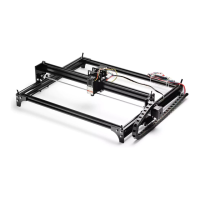
Connect to L8 with USB cable
Open the CutLabX software to enter the authoring page
Automatic machine connection (if it does not connect automatically, you need to try another
COM)


 To Next Page