Resources Download and Software Setup
17
Note: If you get an alert from your antivirus software when installing the engraver software, please add it as an exception
to your antivirus software to allow it to install and operate. As an executable program, the engraving software sometimes
receives false-positive alerts from some antivirus software.
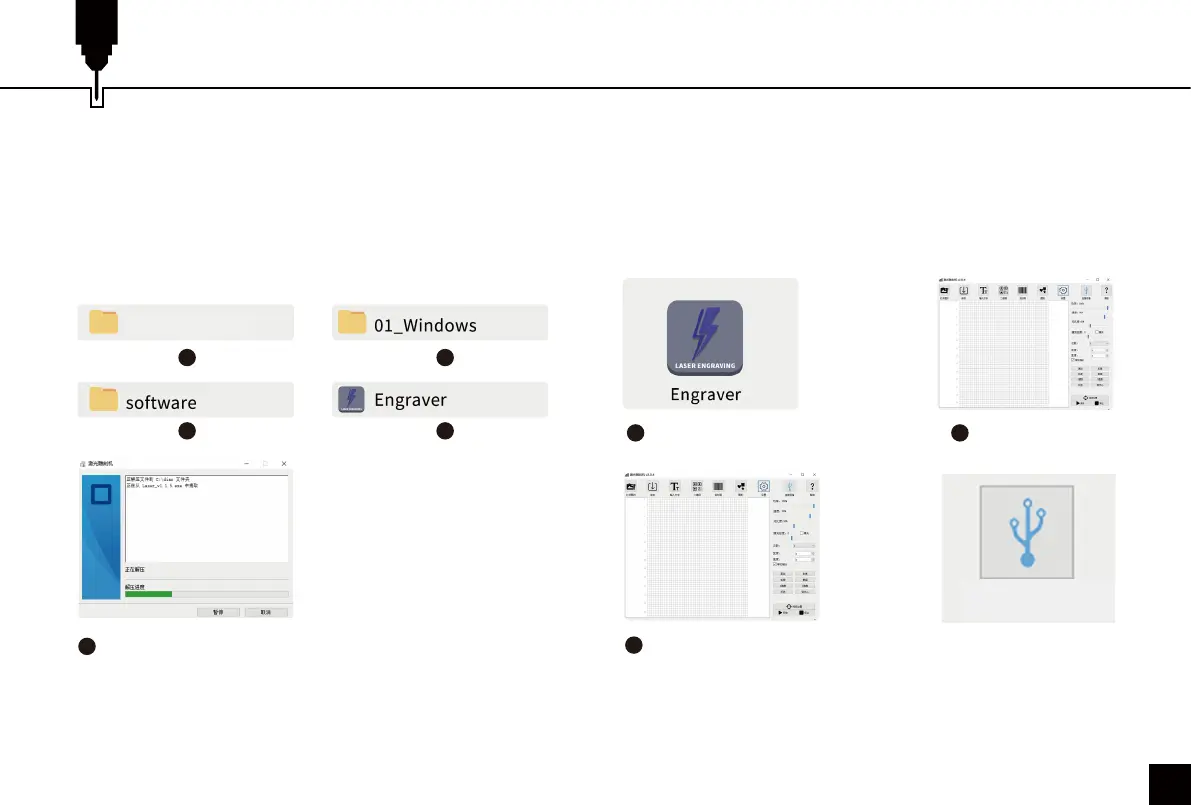
3. Machine Connection on Windows:
Connect the machine to the computer with the USB cable.
Open the engraving software — click the "connect device"
icon — the machine is successfully connected to your
computer when the icon turns blue.
Double click the
software icon
Click the “connect
device” icon
1
The machine is connected
when the icon turns blue
3
2
Connect the Machine
2. Software Installation on Windows:
File Location: USB Flash Drive/windows/software/
Laser_2.0.4(211018)/
Double-click the file icon to start the setup process, and
the software is successfully installed when the progress
bar reaches the end.
5
1 2
3 4
The software is successfully installed
when the progress bar reaches the end.
Z4 (USB flash disk)



 To Next Page