Resources Download and Software Setup
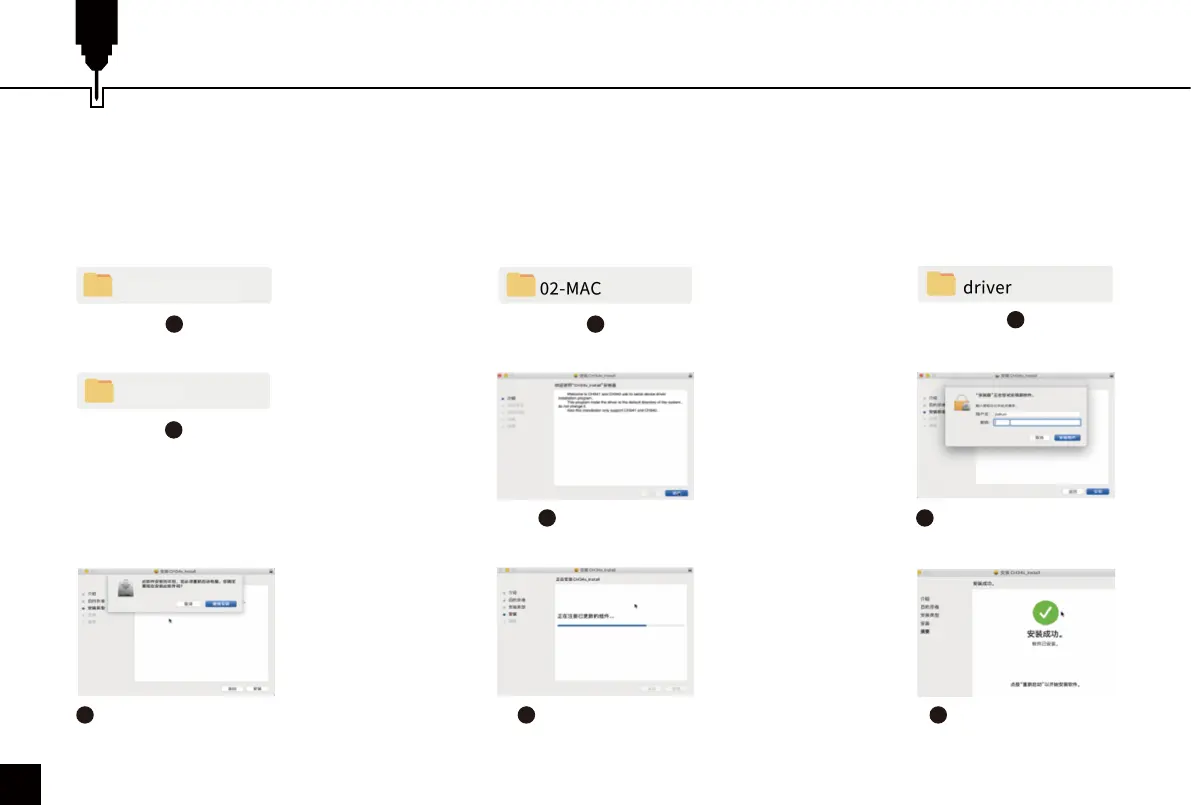
4. Driver Installation on Mac OS:
2
3
5
Click “Continue”
6
Enter computer password
7
Click “Continue Installation”
9
Complete Installation
8
Continue Installation
18
1
Z4 (USB flash disk)
4
Mac_OSX_VCP_Driver
File Location: 02-MAC / driver / Mac_OSX_VCP_Driver /
Double-click on the package (.pkg file ) and an installation wizard for the application. The installation wizard then performs
all the necessary tasks to install the driver correctly.



 To Next Page