Need help?
Do you have a question about the GENORAY iM3 PORT-X IV and is the answer not in the manual?
Introduces the PORT-X IV diagnostic x-ray system for dental imaging.
Lists essential safety precautions and checks before operating the X-ray equipment.
Defines who can use the equipment and the responsibility for verifying X-ray parameters.
Details safety measures and procedures to follow during the operation of the device.
Provides security and usage guidelines for the wireless USB dongle.
Outlines safe storage conditions to prevent damage and ensure equipment longevity.
Covers critical electrical safety measures, grounding, and fire prevention for the device.
Illustrates radiation zones and provides stray radiation data for safety considerations.
Emphasizes adherence to radiation safety laws and proper use of protective measures.
Explains temperature warnings and procedures for managing device overheating.
Specifies environmental conditions for optimal operation and storage of the equipment.
Details proper disposal methods for worn-out equipment and accessories.
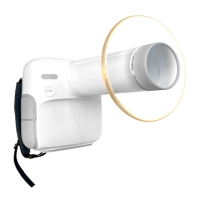
Identifies and labels the various physical components of the PORT-X IV device.
Explains the function and operation of each button on the PORT-X IV device.
Describes the device feature that prevents unintended X-ray exposure.
Details the different connectors on the device and their purposes.
Explains the device's display screen, status indicators, and information shown.
Outlines the menu structure and options available on the device's display.
Provides essential steps and checks to perform before operating the X-ray device.
Details the process of capturing X-ray images using the PORT-X IV.
Explains how to acquire X-ray images without using the sensor.
Details the procedure for capturing X-ray images with the sensor.
Describes how to send captured X-ray images from the PORT-X IV to a server.
Explains the process of automatically transferring images to the server.
Details the steps for manually transferring X-ray images.
Covers image transfer operations including zoom and management.
Recommends annual inspections by the service center for reliability and reproducibility.
Provides guidance on regular checks, cleaning procedures, and handling of the equipment.
Details the technical specifications of the X-ray generator, control device, and battery.
Instructs users to check labels and manuals before powering on the device.
Lists error codes, messages, and recommended actions for troubleshooting.
Details warning codes, messages, and suggested resolutions for operational alerts.
Provides initial exposure time settings based on patient type (large, medium, small).
Lists air-kerma and DAP values for various exposure times.
Provides instructions and precautions for cleaning the PORT-X IV device.
Details procedures for verifying X-ray tube voltage, current, and exposure time.
Explains how to check image quality and perform flat field correction.
Discusses battery usage, charging, and maintenance.
States that only certified technicians can perform inspection and service.
Advises contacting the service center for defective equipment and disclaims responsibility for modifications.
Provides a table for recording daily, weekly, and periodic equipment inspections.
 General
| Brand | GENORAY |
|---|---|
| Model | iM3 PORT-X IV |
| Category | Medical Equipment |
| Language | English |

 To Next Page