Need help?
Do you have a question about the GENORAY PORT-X IV and is the answer not in the manual?
Explains symbols used for important information, warnings, and safety.
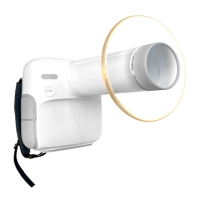
Provides an overview of the PORT-X IV diagnostic X-ray system and its intended use.
Details warranty repairs, service fees, and conditions for the equipment.
Specifies user qualifications and warns against unauthorized modifications.
Defines user responsibilities for verifying X-ray parameters.
Outlines essential precautions to follow during device operation.
Lists recommended disinfectants for cleaning the equipment's surface.
Warns about interference sources and high voltages during charging.
Shows measured stray radiation levels at different heights.
Warns about potential danger if safety regulations are ignored.
Illustrates the safe zone for protection against backscatter radiation.
Explains the correct positioning for maximum protection against radiation.
Provides instructions for managing scatter radiation and protective gear.
Warns that continuous use without cooling can damage the X-ray tube.
Lists operating, optimal, and storage environmental conditions.
Lists components and their recommended disposal methods.
Recommends using certified products for wireless connectivity.
Identifies and names the various parts of the PORT-X IV unit.
Describes the Move/Select function using trackball or button types.
Instructions for turning the equipment ON/OFF and power saving modes.
How to change patient size and select tooth position.
Steps for performing an X-ray exposure.
Use for forced shutdown and updating the equipment.
Explains the mechanism to prevent excessive X-ray exposure.
Details the Micro SD card slot and connectors for hand switch.
Describes connectors for charging and oral sensor.
Provides information on maintenance, handling, and lifespan of the battery.
Step-by-step guide for replacing the battery.
Safety warnings about handling swollen batteries and battery fluid contact.
Step-by-step guide for replacing the coin cell.
Details the various features and icons displayed on the equipment screen.
Explains how to check the battery status in use and while charging.
Describes the 'Quick' and 'Regist' functions for patient registration.
Details the 'List' and 'Standby' functions for patient data and PORTVIEW linking.
Describes how to access and use the settings window.
Step-by-step guide for connecting to a wireless network.
Information on connecting to a server PC and IP address requirements.
How to set tooth numbers and notation systems.
Explains the Auto FFC function for image correction.
Details connecting the mobile app and equipment via HostAP.
Options for setting the equipment's display language.
System settings including auto-transfer, SD card format, and power saving.
How to manually or automatically set the device time.
Options for resetting film time, Wi-Fi settings, or overall settings.
Instructions for checking and updating the device firmware.
Key steps and checks before operating the equipment.
Step-by-step guide for acquiring images without using a sensor.
Detailed sequence for performing an X-ray image capture.
Steps for registering patients and adjusting exposure time.
Steps for taking the X-ray image and checking its transmission.
How to select patients and adjust exposure time in server-linked mode.
Placing the device and capturing images.
Checking the image and sending it to the server.
Describes the process of automatic image transfer to the server PC.
Details the procedure for manual image transfer using an SD card.
How to change displayed images and transfer them to the server PC.
How to zoom in on images using the power button.
Accessing the image management tab and thumbnail screen.
How to move images when magnified.
How to adjust the brightness of the displayed image.
How to invert the colors of the image.
How to select and apply filters to images.
How to measure lengths on the image.
How to reset image modifications to original settings.
How to delete an image.
Recommendations for regular inspection and cleaning of the equipment.
Provides model names, technical data, and environmental specifications for the system.
Specifications for the X-ray generator's input and output.
Electrical and mechanical specifications for the X-ray tube.
Information on tube voltage, anode heat capacity, and heat storage.
Charts detailing maximum rating limits for the generator.
Graphs showing emission and filament characteristics.
Graph illustrating the anode heating and cooling curve.
Provides dimensional drawings and specifications for the X-ray tube.
Details the specifications for the rechargeable battery pack.
Provides specifications for the recharge unit.
Details SSD, radiation field, and collimator specifications.
Details scintillator type, pixel size, resolution, and interface.
Provides the dimensions and weight of the equipment.
Identifies labels such as X-ray Tube Assembly, Battery, and Manufacturer.
Shows details from equipment labels.
Displays product information for different battery pack models.
Lists error codes, messages, and recommended measures for troubleshooting.
Lists warning codes, messages, and suggested actions.
Recommended initial X-ray exposure time settings for digital sensors.
Table of air-kerma and Dose Area Product values for different exposure steps.
Instructions for cleaning the PORT-X IV equipment.
Safety caution before cleaning, emphasizing power disconnection.
Describes the measurement method for checking X-ray output.
Table showing allowable ranges for timer settings and kVp accuracy.
Instructions on performing Flat Field Correction for low-noise images.
Instructions for checking image clarity and resolution using a phantom.
States that only Genoray certified technicians can service the equipment.
Advises contacting the service center for defective equipment.
Lists inspection items to be performed daily.
Lists inspection items for weekly and longer periods of disuse.
 General
| Brand | GENORAY |
|---|---|
| Model | PORT-X IV |
| Category | Medical Equipment |
| Language | English |


 To Next Page