Need help?
Do you have a question about the GENORAY PAPAYA and is the answer not in the manual?
Details the PAPAYA Plus system's capabilities and intended use for dental imaging.
Lists critical safety guidelines for operating the dental X-ray system.
Outlines essential safety measures related to the electrical system of the equipment.
Details necessary precautions to ensure patient and operator safety from radiation exposure.
Explains temperature limits and operating conditions to prevent equipment overheating.
Provides guidance on the proper disposal of the device and its components.
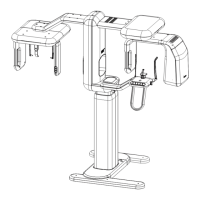
Identifies and labels the main parts and structural elements of the PAPAYA system.
Describes interchangeable chin rests and their proper installation for different modes.
Explains the function of the On/Off switch and the initial status indication.
Details the hand-held exposure switch and the function of the emergency stop button.
Explains the meaning of different LED colors indicating the device's operational status.
Describes how to use the emergency switch to stop the machine in critical situations.
Details the functions of various buttons on the equipment's control panel for height and laser.
Explains the secondary control button for height adjustment and laser operation.
Describes the use of the laser control knob for precise patient positioning.
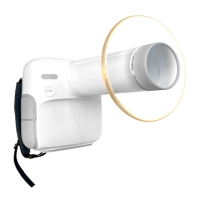
Provides instructions on how to install and remove the X-ray detector.
Identifies parts like nasal positioner, ear rod, temple support, bite, and chinrest for patient support.
Details the layout and components of the Operation Panel program screen.
Outlines available X-ray exposure modes like Panoramic, TMJ, Sinus, and Cephalo.
Explains how to select patient size and adjust image quality for exposures.
Describes how to set and save kVp, mA, and exposure time parameters.
Shows how the screen displays current device status, including connectivity and temperature.
Guides the user in selecting appropriate jaw shapes and sizes for patient imaging.
Details managing patient orders, registration, and viewing the order list.
Covers general, DB Server, and DICOM settings for system configuration.
Describes the initial steps using Triana software for patient registration and acquisition.
Guides through executing the operation panel and entering patient information for orders.
Step-by-step instructions for positioning the patient for panoramic X-ray imaging.
Detailed guide for correctly positioning patients for Temporomandibular Joint (TMJ) imaging.
Instructions for patient positioning specific to sinus X-ray imaging.
Procedures for positioning patients for cephalometric X-ray imaging.
Steps for patient positioning when using the optional CUST (Tomography) mode.
Explains the process of taking the X-ray image and viewing the results.
Lists common messages displayed during operation and their explanations.
Describes functions for adjusting brightness, zoom, and re-sizing images.
Explains how to use the TWAIN interface to send images to external programs.
Covers functions like sending to DICOM server, burning CDs, and managing patient folders.
Provides detailed steps for cleaning and disinfecting patient contact areas and the equipment.
Outlines conditions and locations to avoid for safe and effective equipment storage.
Details regular checks and performance tests required for the machine.
Lists the equipment's electrical classification and relevant industry standards.
Provides input power, frequency, capacity, and operating environmental conditions.
Detailed technical specifications for key components like the X-ray source, tube, and detectors.
Specifies the physical dimensions and weight of the PAPAYA and PAPAYA Plus units.
Illustrates the labeling and identification marks found on the equipment.
Lists all error codes, their messages, and temporary solutions for device issues.
Provides a checklist for daily, weekly, and yearly equipment maintenance tasks.
Includes tables detailing recommended exposure parameters and dose area product values.
 General
| Brand | GENORAY |
|---|---|
| Model | PAPAYA |
| Category | Medical Equipment |
| Language | English |

 To Next Page