1-2 Overview
G
R228X
System
Architecture
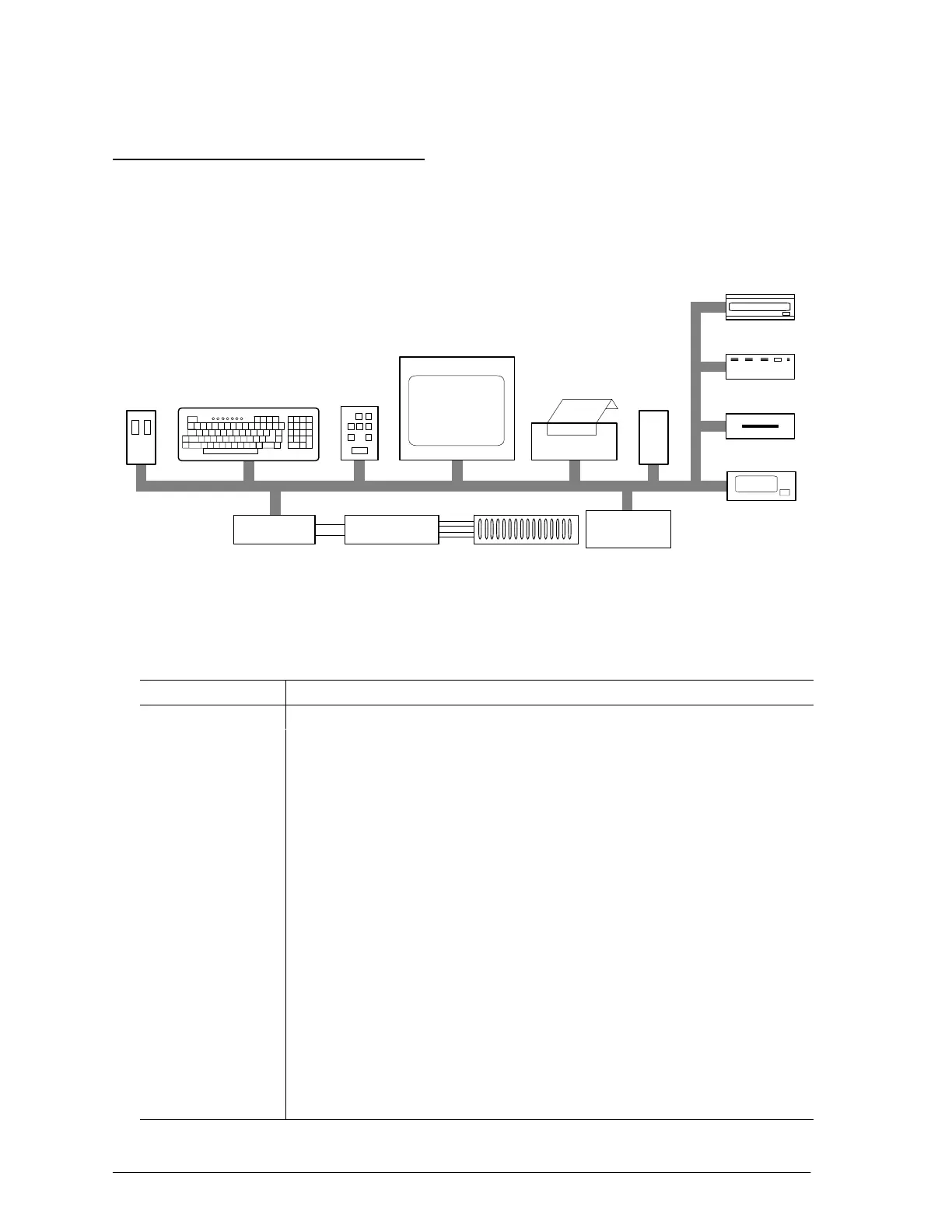
All Windows NT-based GR228X systems are PC-controlled and have similar standard and
optional hardware components. Table 1–1 describes each of the GR228X system’s major
components that are shown in Figure 1–1.
KEYBOARD
HARDWARE
VIDEO
DISPLAY
PRINTER
DISK DRIVE
1/4–INCH
TAPE DRIVE
REPAIR TICKET
42601.3
DISKETTE
DRIVE
KEYPAD
(Optional)
HARD
MOUSE
PROCESSOR
TEST
INSTRUMENTS
TEST FIXTURE RECEIVER
MODEM
CD–ROM DRIVE
PRINTER
LINE
Figure 1–1 System Components
Table 1–1
GR228X System Components
Component Description
Mouse
Used to select options and enter input.
Keyboard Used to enter commands to the PC or to respond to system prompts and test boards.
Hardware Keypad This option enables you to test UUTs easily without constantly using the keyboard.
Video Display Used during program preparation and during the testing sequence to display
measurements, waveforms, error messages, and other operator information.
Repair Ticket
Printer
Prints diagnostic messages and results from the PC. Used by the test system to
document test results and error messages, which can be attached to the failing
boards.
Line Printer This option is available for hard-copy output of program listings and log listings.
CD-ROM Used to load CD-ROM formatted software.
Hard Disk Drive Stores system software, test programs and data, and any other information that the PC
needs to quickly access. Optional disk drives may be added to provide additional
storage.
3.5-inch Diskette
Drive
This 1.44 Mb diskette drive is used for system backup and data transfer.
1
/
4
-inch Tape Drive This 525Mb tape drive is used for loading system software and for system
backup.
Modem An internal modem for remote accessing.
Processor Executes the test programs.



 To Next Page