Page 10 of 11 Revision A 550-0426
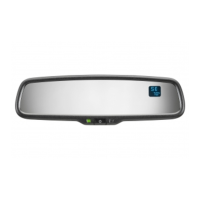
1. To change display from degrees Fahrenheit to degree Celsius.
a) Push and hold the button for approximately 4 seconds until
the display blinks “°C” or “°F”.
b) Release then toggle the button to select desired display
mode.
c) After 5 seconds of no button activity, the display will be set and
will return to normal temperature reading.
2. Ice feature display.
a) When outside temperature is 38°
or lower, the display will read,
"ICE" to alert driver of potential driving hazards.
Temperature Feature (if equipped)


 To Next Page