EasyManua.ls Logo

Gentex NVS - User Manual

Gentex NVS
15 pages
Print Icon
To Next Page IconTo Next Page
Loading...
GENTEX
CORPORATION
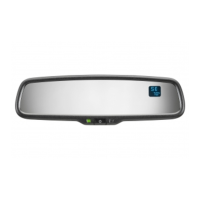
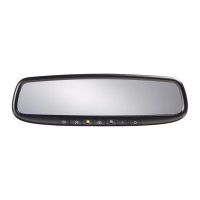
About Your Automatic-Dimming Mirror
Congratulations! Your new automobile
is
equipped with an Gentex-brand
NVS®
(Night Vision Safety™) mirror. During nighttime driving, this safety
feature senses distracting glare from vehicle headlights behind you and
automatically dims the mirror to eliminate glare and preserve your vi-
sion. The mirror also displays your compass heading and the exterior
temperature.
LED SWITCH
SENSOR
DISPLAY
To
Operate the Auto-Dimming Feature
Push
in
"C)"
switch to turn the Mirror on/off. "Auto Dimming feature" is enabled
when green LED indicator
is
on.
To
Operate the Compass Feature
1.
Push and hold the display
"C)"
switch for 3 seconds. The visual directional heading
and outside temperature will be displayed.
2.
Pushing the
"C)"
switch a second time for 3 seconds will turn off the visual display.
3.
If
the display reads "CAL", calibrate the compass by driving the vehicle
in
a complete
circle at less than five mph.
4.
To
adjust for Compass Variance:
a.
Press the
"C)"
button for more than 9 seconds or until the current zone number
will appear
in
the display.
b.
Find your current location and variance zone number
on
the zone map.
(See reverse)
c.
Press the
"C)"
button until the new zone number appears
in
the display.
After you stop pressing the button in, the display will show a compass
direction within a few seconds.
To
Operate the Temperature Feature
1.
Push and hold the display
"C)"
switch for 3 seconds. The vehicle's directional
heading and outside temperature will be displayed.
2.
Pushing the
"C)"
switch a second time for 3 seconds will turn off the visual display.
3. The temperature display can be changed to Celsius by depressing the"C)" switch
for 6 seconds, until a
"OC"
appears by itself
in
the display window. Pushing the
"C)"
switch again will toggle the display between Celsius and Fahrenheit. Five
seconds of no switch activity returns the display to its normal directional and
temperature reading.
Cleaning the Mirror
When cleaning the mirror, use a paper towel or similar material dampened with
glass cleaner. Do not spray glass cleaner directly on the mirror as that may
cause the liquid cleaner to enter the mirror housing and damage the mirror.
550-0345
Question and Answer IconNeed help?

Do you have a question about the Gentex NVS and is the answer not in the manual?

Summary

About Your Automatic-Dimming Mirror

Operate Auto-Dimming Mirror Feature

Operate Compass and Temperature Display

Cleaning the Mirror

Troubleshooting Guidelines

Compass Display CAL Error

Resolving the 'CAL' indicator for compass calibration and display errors.

Inaccurate Compass Direction

Troubleshooting steps for incorrect compass readings and magnetic interference.

Temperature Display Issues

Addressing low temperature readings and incorrect units (Celsius/Fahrenheit).

Display Error Codes SC and OC

Diagnosing 'SC' (short circuit) and 'OC' (open circuit) errors in the display.

Compass Zone Adjustment

Compass Calibration Procedure

Installation Preparation

Mirror Removal and Installation

Remove OEM Mirror

Instructions for safely detaching the original mirror from the windshield.

Attach Auto-Dimming Mirror

Steps for mounting the new auto-dimming mirror onto the windshield button.

Route Power Harness to Vehicle

Locate Ignition Power Wire

Finding and identifying the vehicle's switched +12V ignition wire.

Harness Routing to Headliner and A-Pillar

Wiring Connections and Grounding

Connect to Ignition Power

Connecting the mirror's switched power wire to the ignition wire tap.

Connect Ground Wire

Connecting the mirror's ground wire to a suitable vehicle ground point.

Optional Temperature Sensor Installation

Route Temperature Sensor Harness

Connect Temperature Harness to Mirror

Secure Harness Wires

Test Mirror Functionality

Temperature Feature Operation

Gentex NVS Specifications

General IconGeneral
TypeNight Vision System
TechnologyInfrared
Night Vision EnhancementYes
Power SourceVehicle's electrical system
CategoryAutomobile Accessories
FunctionalityEnhances driver visibility in low-light conditions
IntegrationIntegrated with vehicle's display system
FeaturesPedestrian detection
Display TypeVehicle's existing display screen
CompatibilityVaries by vehicle model

Related product manuals