Unit 29 Navigation Drive, Hurst Business Park, Brierley Hill, West Midlands, DY5 1UT, United Kingdom
Tel: +44 (0)138 447 2900 Fax: +44 (0)138 447 2911 Email: sales@b-one.com Web: www.b-one.com
For Technical Support call the main number, fax or email: technical@b-one.com
LAMP REPLACEMENT
Even though the amount of visible light emitted from the lamps does not
appear to change, the output of UV light diminishes with time. To maintain
efficiency, lamps must be replaced annually. Do not use UV-B or UV-C lamps.
The replacement lamps are available from your local distributor. To replace
the lamps, follow the procedure below:
1. Isolate/disconnect the unit from the electrical supply before handling.
Removing lamps from the unit prior to disconnection may cause the
circuitry of the unit to switch to safety mode. See reset instructions.
Open the front screen by lifting up and open to its full extent.
Lamps may be warm; it is advisable to wait a few minutes until cool.
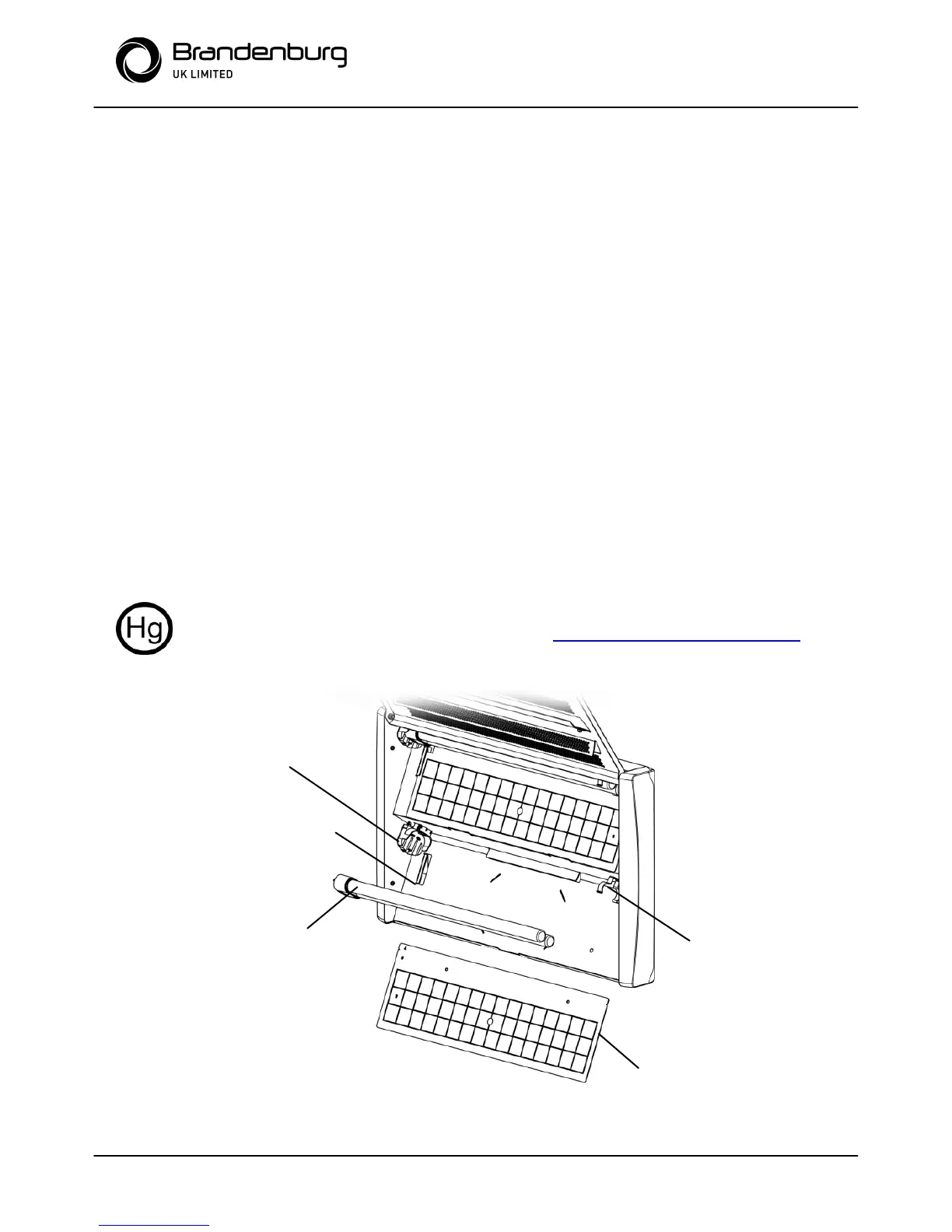
2. Press the red button on the quick release lamp holder and pull the lamp
out and away making sure to carefully disengage from the lamp clip at the
opposite end. See diagram.
3. To install new lamps, position the lamp base flush against lamp holder so
the 4 pins are aligned with the slots and click securely into place. Push the
lamp into the clip at the opposite end.
4. Close the screen and reconnect the electrical supply.
WARNING: LAMPS CONTAIN MERCURY. DISPOSE OF ACCORDING TO
LOCAL, STATE OR FEDERAL LAW. SEE WWW.LAMPRECYCLE.ORG


 To Next Page