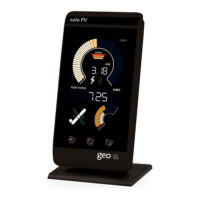
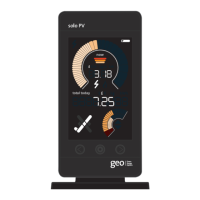
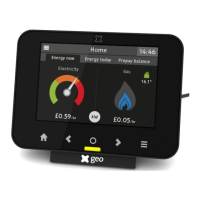
Navigation and settings
Left and right buttons
Use the
A
and
C
buttons to view different periods of
use. You can see consumption for today, yesterday, this
week, last week, this month and last month.
Middle
¡
button
To change units, press the
¡
button to view the power
and energy in cost, carbon or kW. Another press of the
¡
button presents your budget for the selected time
period on the lower digits.
Settings
Enter the settings menu by pressing and holding the
¡
button. Use the
A
and
c
buttons to navigate to the
required setting and press the
¡
button to conrm.
When a setting ashes, it can be changed using the
A
and
c
buttons and saved by pressing the
¡
button.
Setting What does it mean? What are the options?
BUDGET Your budget is your monthly
electricity expenditure (e.g.
your direct debit amount) and
is used by the budget bar.
Please set this to your
own expenditure. The
default will change
depending on what
currency is set.
CURRENCY You can choose the currency
for the budget and tariff.
The default is £
(Pounds), and €
(Euros), kr (Kroner)
or a general currency
symbol can be
chosen.
TARIFF You have one or more
electricity tariffs that tell the
monitor how to calculate costs.
You can set up to
three tariffs and a
standing charge. The
default will change
depending on what
currency is set.
DATE+TIME You can set your date and time. You can change year,
month, day and time.
BACKLIGHT Your monitor is always on,
but you can change when
the monitor is lit up by its
backlight.
By default, your
backlight is always
on but you can set
the backlight to be
timed.
LED
SENSOR
Choose the value that matches
the pulses per kilowatt hour
setting for your meter.
By default this is 1000
imp/kWh.


 To Next Page