8 | geo helpline: 0845 519 7226
Setting-up the transmitter
and wireless connection
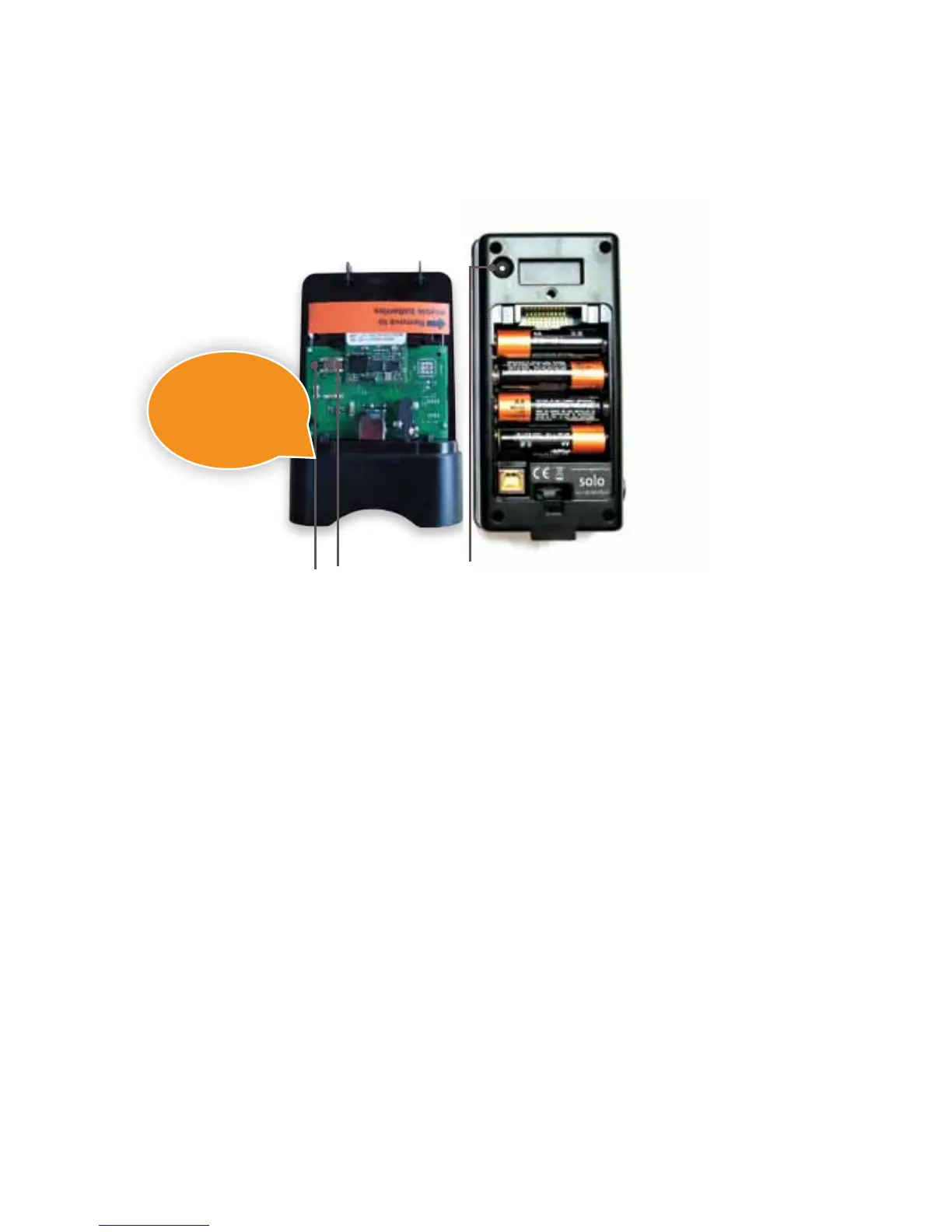
Under the
cover of the
transmitter
Reverse of
the display
Activate the transmitter
Conrm communication
between the transmitter
and the display
The transmitter and the monitor display need
To check they are paired insert the batteries
Within a minute you should see the
communication icon light up on the display
light up follow the steps below:
while holding down the pair button replace
Wait for a couple of seconds
and the display will show a ‘pair’ screen
Please do not use
a sharp metal object
such as a knife or
screwdriver to lever
the batteries!


 To Next Page