P.38
3. Time Setting
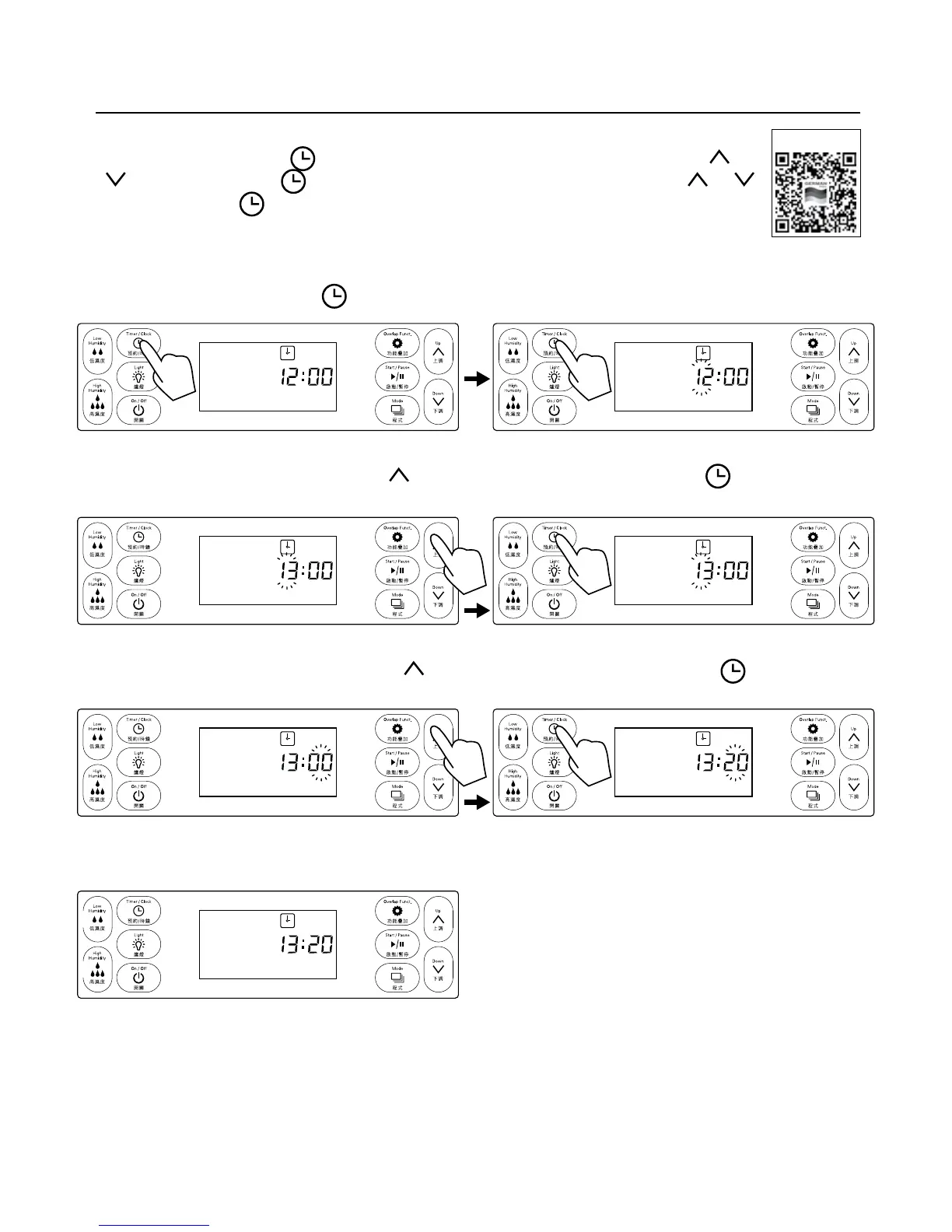
Under standby mode, press lock button for 3s, then turn to time setting interface, press or
to set hour, then press clock button to conrm switching to minute setting, press or
to set minute, press clock button again to conrm setting. The screen shows new time.
E.g. Adjust time at 13:20.
Procedure:
1)Under standby mode, press clock button for 3 seconds;
2)Hour position indicator ashes, press
until the indicator displays 13, then press clock button to
conrm.
3)Minute position indicator ashes, press
until the indicator displays 20, then press clock button to
conrm.
4)Time setting is done.
Operating Instruction
Video Tutorial


 To Next Page