P.42
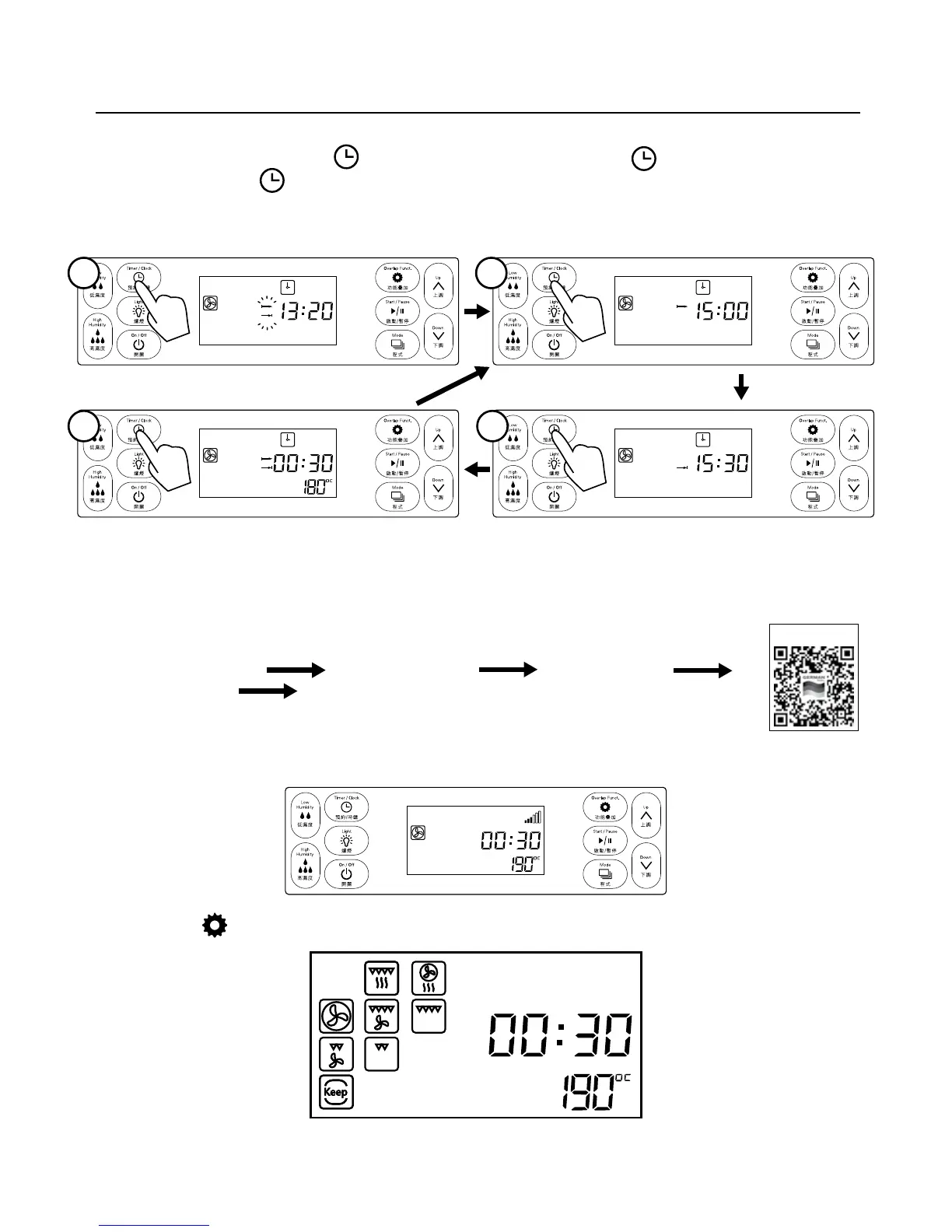
5.2 Preset Timer inquiry:
After preset timer started, press
clock button to show start time, press clock button again to show
nish time, and press
clock button one more time to show the preset setting:
6. Overlap Function Setting and Inquiry
6.1 Overlap function setting procedure:
Start up the appliance
Press overlap button Set cooking mode Set
time/temperature Conrm (Note: More cooking modes could be added by repetitive
operation, 3 cooking modes at most.)
E.g. Set hot wind mode at 190°C for 30 minutes and steam mode at 105°C for 30 minutes
Step 1: Start cooking mode (please refer to function setting instruction), hot wind mode at
190℃ for 30 minutes.
Step 2: Press
overlap function button under working mode, and turn to overlap function setting interface
If the appliance is left idle for 10s during setting operation, the system will turn back to initial interface.
Operating Instruction
Press
Press again Press again
1
4 3
2
Video Tutorial


 To Next Page