13
2. Connecting the Network
Cable to the Network
Confirming the Connection
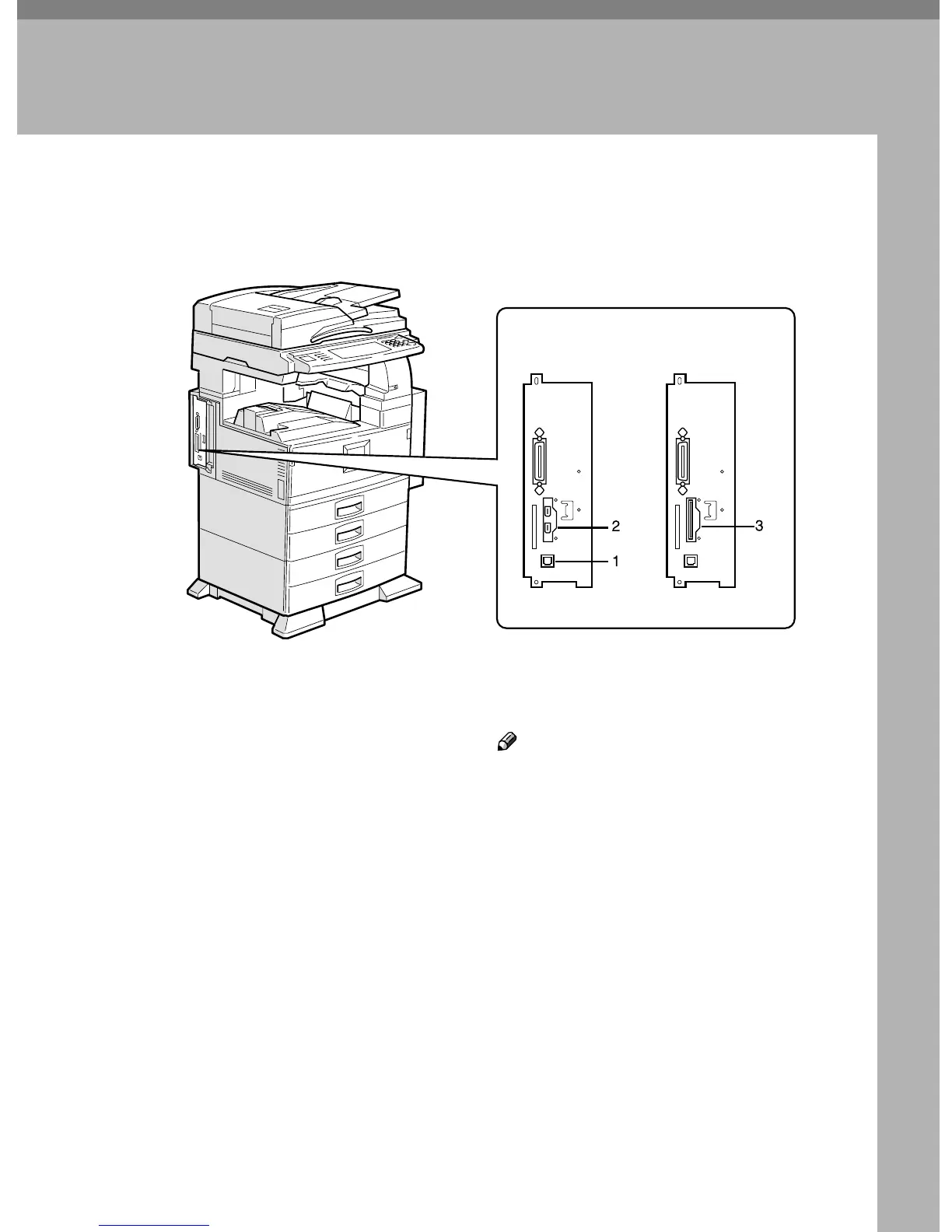
1. 10BASE-T/100BASE-TX port
Port for connecting the 10BASE-T or
100BASE-TX cable
2. IEEE 1394 ports (optional)
Ports for connecting the IEEE 1394 inter-
face cable
3. Wireless LAN port (optional)
Port for using the wireless LAN
Note
❒ The IEEE 1394 interface board (op-
tional) and the IEEE 802.11b (wireless
LAN) board (optional) cannot be in-
stalled at the same time.
ZHZH100E
When the IEEE 1394
interface board (optional)
is installed.
When the
wireless LAN board (optional)
is installed.



 To Next Page