15
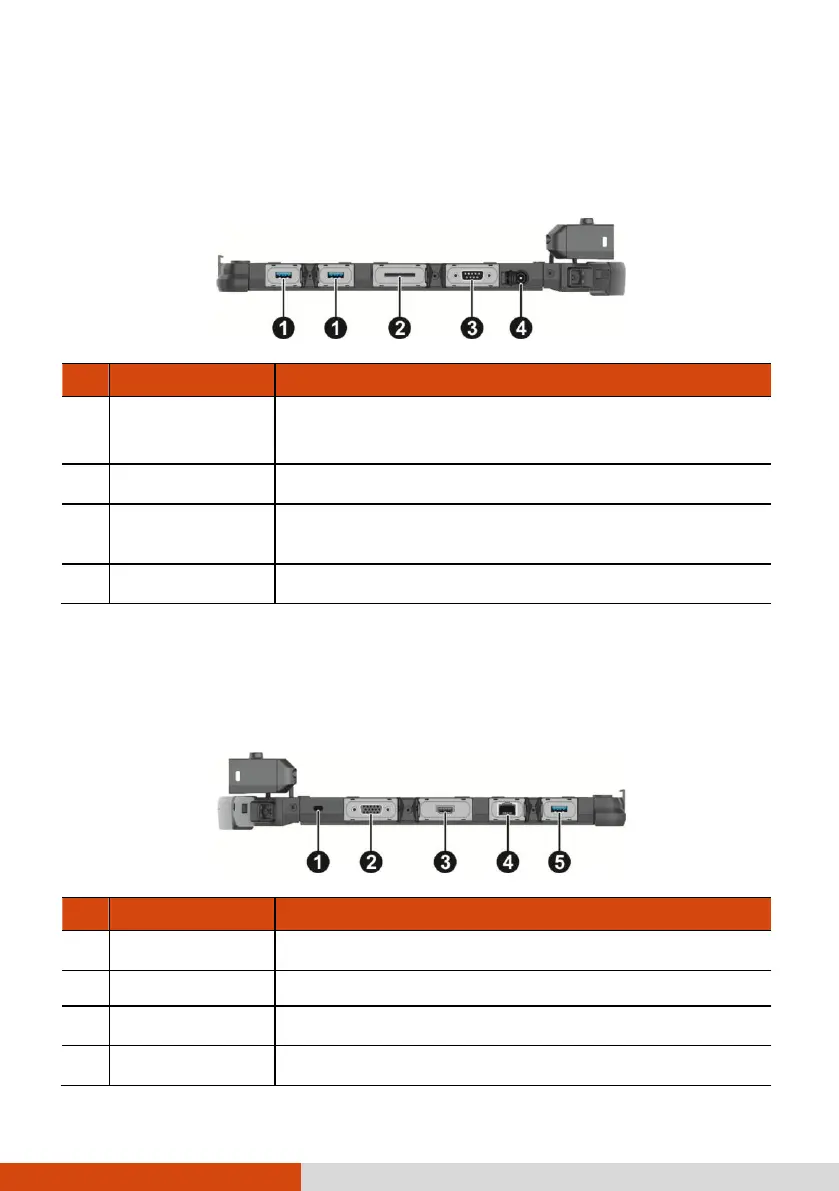
Right-Side Components
For covers with an arrowhead icon, push the cover toward one side to unlock and
the other side to lock. The arrowhead points to the side for unlocking.
Connects a USB device, such as a USB flash disk,
printer, digital camera, joystick, and more.
Accepts a SD card for removable storage media.
Connects a serial mouse or serial communication device.
Left-Side Components
For covers with an arrowhead icon, push the cover toward one side to unlock and
the other side to lock. The arrowhead points to the side for unlocking.
Locks the computer to a stationary object for security.
Connects an external display monitor.
Connects a HDMI monitor or TV set.



 To Next Page