2
Getting the Computer Running
Installing the Micro-SIM Card (Optional) and
Battery Packs
1. Select models only:
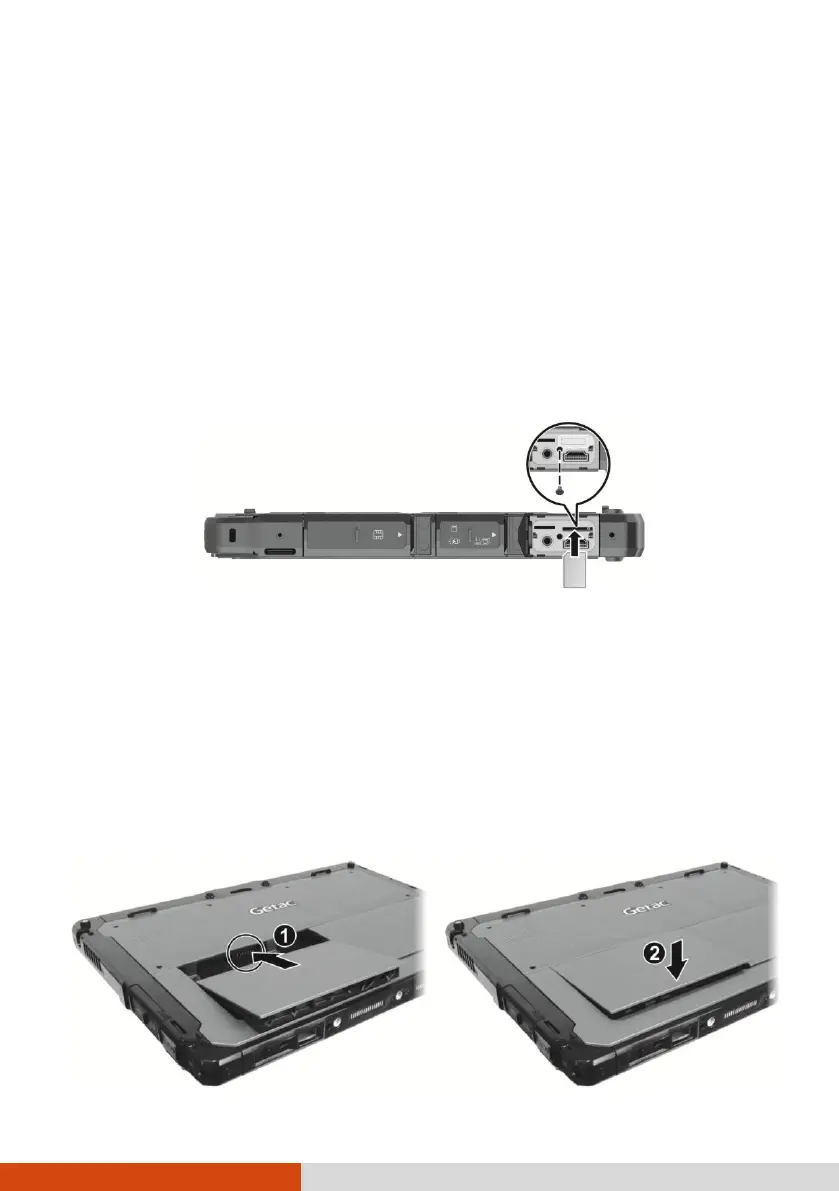
The micro-SIM card slot is covered by a metal plate. Remove one screw to
detach the plate.
Noting the orientation, insert the micro-SIM card all the way into the slot.
NOTE: To remove the micro-SIM card, just push in the card to
release it and then pull it out.
2. The Tablet has two battery compartments for two battery packs; each is installed
in the same way.
With the battery pack correctly oriented, attach its connector side to the battery
compartment at an angle (
) and then press down the other side (
).
The battery latch should automatically engage.



 To Next Page