3
3
. Creating Arrays
NOTE: This document provides only basic information. It is assumed that you are
an advanced user familiar with RAID.
You can create arrays using either Adaptec Storage Manager or ARC Utility.
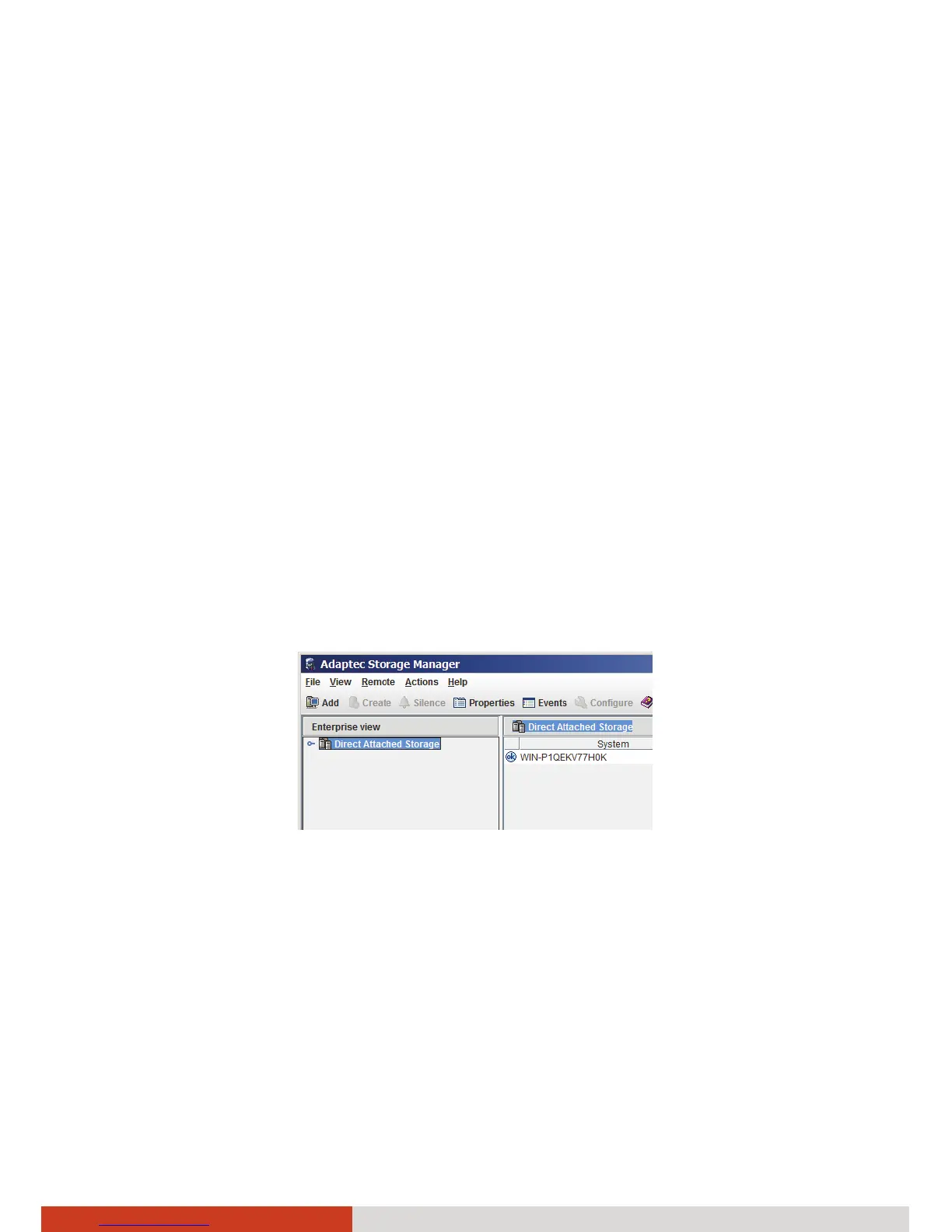
Using Adaptec Storage Manager to Create Arrays
Adaptec Storage Manager is a software application that helps you build a storage
space for your data. You can group disk drives into logical drives and build in
redundancy to protect your data and improve system performance. With Adaptec
Storage Manager, you can also monitor and maintain the controller and disk
drives.
NOTE: If your system includes a firewall, you must unblock these ports: 8003 (TCP),
34580 (TCP), 34570 to 34579 (TCP), 34570 (UDP), and 34577 to 34580 (UDP).
To create arrays using this tool:
1. In Windows, click Start Adaptec Storage Manager.
2. Expand Direct Attached Storage and select the local system.
3. The Log In window opens. Enter the Administrator password and click
Connect.



 To Next Page