5
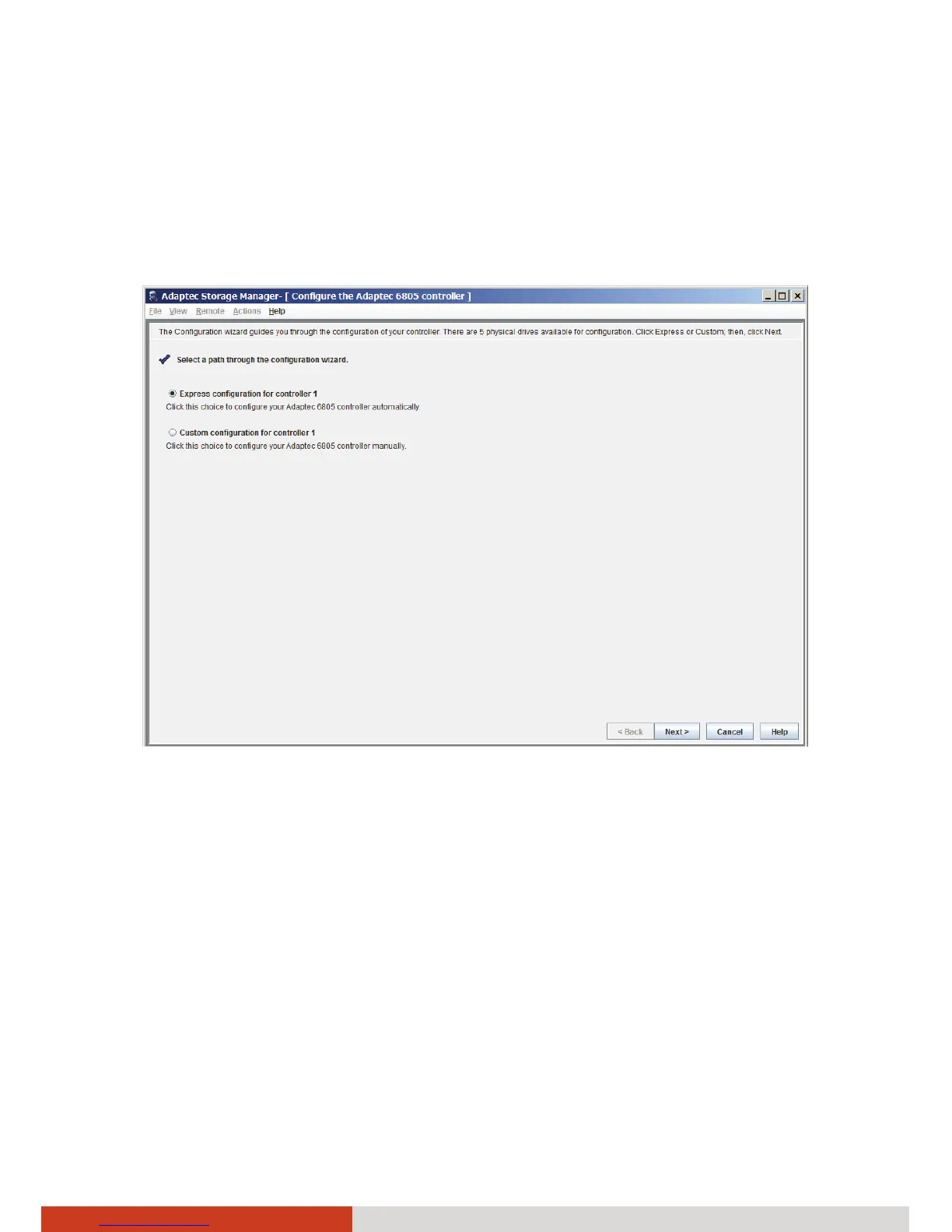
6. The wizard screen appears, offering two configuration methods: Express
configuration and Custom configuration.
Use the express method when you want to use all available disk drives in the
most efficient manner. Use the custom method when you want to create
specific logical drives with any or all available disk drives and configure
advanced settings manually.
Click Next after selecting a method.
7. Configure the settings if you selected Custom configuration in the previous
step.
8. Review the information that is displayed. Click Apply and then Yes.



 To Next Page