2 3
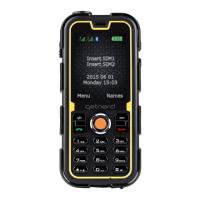
1� LCD Screen
2� Torch key / Left Function key
3� Right Function key
4� Dial key
5� Power / Menu Exit key
6� 4-Way Navigation key
7� Menu / OK / SOS key
8� Alphanumeric keys
9� Microphone
10� Receiver
11� Speaker
12� Camera
13� SIM Card Slots
14� Micro SD Card Slot
15� Volume keys
16� Camera key
17� Torch
18� USB Port
19� Headset Connector
TIP: The 4-Way navigation key has four presets for quick access to popular
functions:
• Press up to open the Audio Player
• Press down to open the Alarm
• Press right to open Proles
• Press left to Write Message
Installing the SIM and SD cards
NOTE: Before installing or removing the SIM (subscriber identity module) card,
power the phone off� Before you power the phone on, correctly install the SIM
card and ensure that the battery is charged or that the phone has been properly
connected to a power supply�
NOTE: The battery holds a small amount of charge and can be used immediately
upon opening� Three full charge/discharge cycles are required for optimum
performance�
WARNING: Please insert a valid SIM card into the phone before use� Do not touch
the metal surface of the card or the card’s information may be lost or destroyed�
Keep the card away from magnetic elds.


 To Next Page