EasyManua.ls Logo

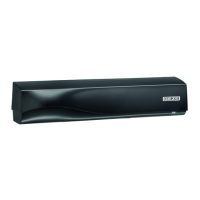
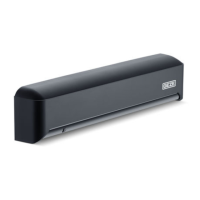
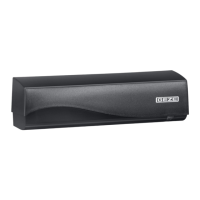
GEZE GC 304 R - User Manual

GEZE GC 304 R
20 pages
Print Icon
To Next Page IconTo Next Page
Loading...
130830-03
GC304 R

Other manuals for GEZE GC 304 R

Questions and Answers

  • S
    Susan ButlerJul 25, 2025
    Why do GEZE GC 304 R open the door for no apparent reason?
    • J
      Jeffrey PerryJul 25, 2025
      Your GEZE security sensor might be opening the door for no apparent reason due to several factors: * Rain: The sensor may be detecting the movement of raindrops. Installing a rain cap can resolve this. * Metallic environments: The sensor could be detecting objects outside of the intended detection area. Try changing the antenna angle. * Interlocking door systems: The sensor might be picking up movement from the opposite door. Reducing the area size can help.
  • B
    Brian KellyAug 2, 2025
    What to do if GEZE Security Sensors door does not react as expected?
    • T
      trujillogeoffreyAug 2, 2025
      If your GEZE security sensor-controlled door isn't reacting as expected, consider these possible solutions: * Check the output configuration of all sensors connected to the door controller, as incorrect settings can cause issues. * Ensure the sensor is correctly fixed in place. * Verify whether uni mode has been selected. * Try increasing the angle of inclination or the immunity filter. * Reduce the area size.
  • C
    Cassandra WebbAug 9, 2025
    How to fix GEZE Security Sensors not reacting to the remote control?
    • C
      Corey NewmanAug 9, 2025
      If your GEZE security sensor isn't responding to the remote control, here's what you can do: * If the sensor requires an access code, enter it. * Check and/or replace the batteries in the remote, ensuring they are correctly inserted. * Make sure the remote control is properly aligned with the sensor. * If you've forgotten the access code, try switching the power supply off and on to unlock the sensor.
  • D
    Debra ShawAug 17, 2025
    What to do if GEZE GC 304 R door remains closed and the LED is off?
    • D
      David WilliamsAug 17, 2025
      If the door controlled by your GEZE security sensors remains closed and the LED is off, it could be due to these reasons: * The power supply might be off. Check the cabling and voltage of the power supply. * The door controller parameter (F2) might be set to value 3 (closed). Set the door controller to automatic.

Summary

Product Liability

Safety

Intended Use

Specifies the approved applications for the GC 304 movement detector on automatic doors.

Safety Instructions

Details mandatory procedures for installation, maintenance, and authorized personnel.

Safety-Conscious Working

Outlines precautions for safe operation and handling of the device.

Environmentally Conscious Working

Guidance on proper disposal and recycling of the door system components.

Description

Supplied by GEZE

Lists the components included in the delivery of the GC 304 R radar detector.

Work to be Done Before Installation

Installing the Drive

Instructions for mounting the drive unit, ensuring correct fitting of the weather hood.

Positioning the Sensor

Guidance on optimal placement of the GC 304 sensor for activation of automatic doors.

Installation

Installation Without Accessories

Steps for mounting the sensor directly, including drilling and cable routing.

Installation with Ceiling Installation Set

Procedure for installing the sensor using a dedicated ceiling mounting kit.

Installation with Rain Cover

Instructions for fitting the sensor with an optional protective rain cover.

Cabling

Details on wiring the GC 304 R sensor, including output configurations.

Commissioning

Settings

Area Size

Configuration options for adjusting the detection range of the sensor.

Immunity Filter

Settings to adjust sensor sensitivity to environmental factors or interference.

Detection of Direction

Options for configuring the sensor's directional detection capabilities.

Output Configuration

Settings for the sensor's output signal and contact type.

Hold-Open Time

Adjustable time duration for which the door remains open after detection.

Installation Height

Specifies optimal installation height ranges for the sensor.

Door Controller

Configuration setting for how the sensor interacts with the door controller.

Resetting to Factory Settings

Procedure for restoring the sensor's default configuration settings.

Fault Messages and Troubleshooting

Access Code Management

Instructions for setting, deleting, and managing access codes for sensor unlocking.

Door Remains Closed

Troubleshooting steps when the door does not open, indicated by LED status.

Door Does Not React

Diagnosing and resolving issues where the sensor does not respond as expected.

Door Opens and Closes in Cycles

Solutions for intermittent door operation caused by sensor interference or settings.

Door Opens for No Apparent Reason

Identifying causes for false activations, like rain or environmental factors.

LED Flashes Quickly

Troubleshooting sensor behavior related to access codes and unlocking sequences.

Sensor Does Not React to Remote Control

Steps to ensure proper communication between the remote control and the sensor.

Technical Data

Accessories and Spare Parts

Remote Control

Information and material number for the remote control accessory.

Ceiling Installation Kit

Details and material number for the optional ceiling mounting hardware.

Rain Cover

Information and material number for the protective rain cover accessory.

GEZE GC 304 R Specifications

General IconGeneral
BrandGEZE
ModelGC 304 R
CategorySecurity Sensors
LanguageEnglish

Related product manuals