28 gfgril
AUTOMATIC PROGRAMS AND PREPARATION MODES
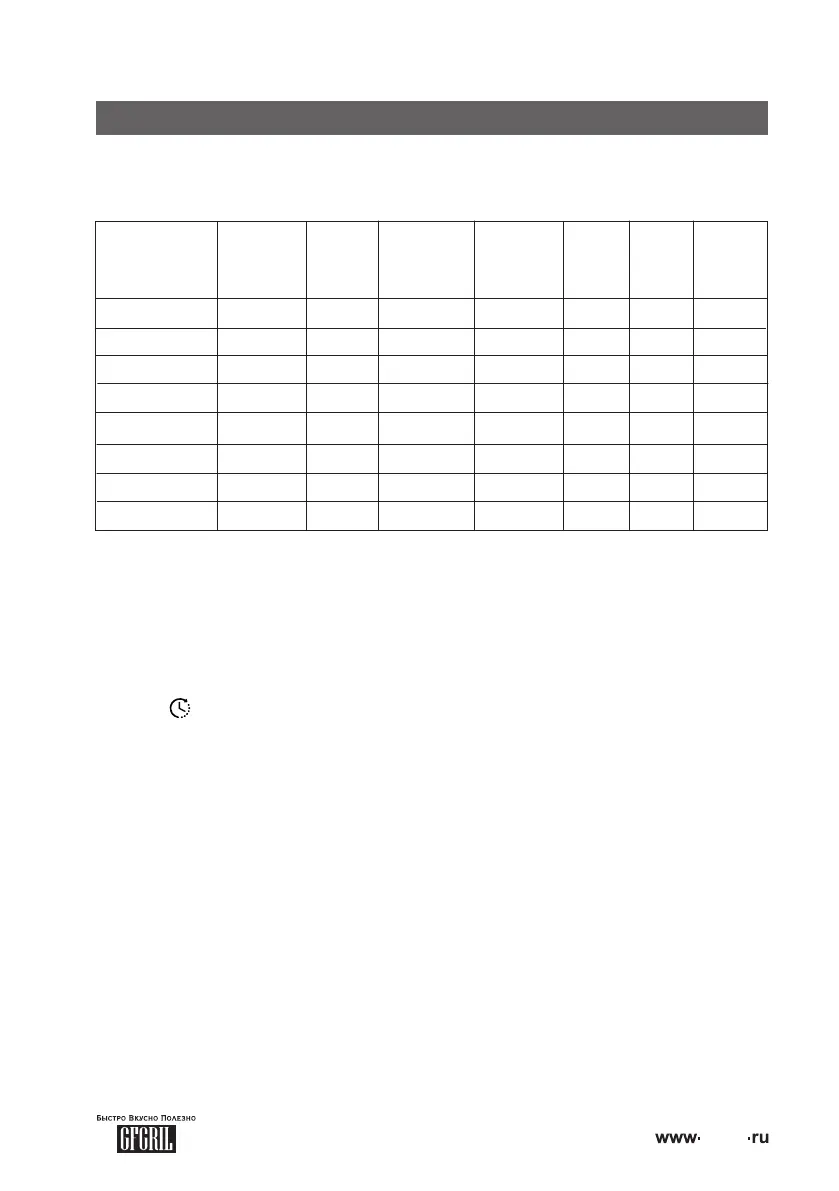
You have 4 automatic programs and 4 preset cooking modes designed for various cooking
methods. Detailed description of preparation programs, as well as ranges of changes of time
and temperature values for each program/mode are given in the below:
Upper heating
Lower heating
Heating
Skewer
Defrost
Baking
Fish
Meat
0:01-2:00
0:01-2:00
0:01-2:00
0:01-2:00
0:01-10:00
0:01-2:00
0:01-2:00
0:01-2:00
+
-
+
+
-
+
+
+
0:45
1:00
0:20
0:45
0:40
0:20
0:25
1:00
80°С-200°С
80°С-200°С
80°С-230°С
80°С-200°С
25°С-80°С
140°С-170°С
160°С-190°С
180°С-230°С
180°С
160°С
220°С
180°С
30°С
160°С
180°С
200°С
-
+
+
-
+
+
+
+
OFF
OFF
OFF
OFF
ON
ON
ON
ON
С другой стороны постоянное информационно-пропагандистское обеспечение нашей
деятельности представляет собой интересный эксперимент проверки систем массового
• Install the device on a flat, dry and stable surface and connect the power cord plug to the
mains. The sound signal will sound, the digital display will be turned off, the indication of the
buttons " ", "MODE", "START/CANCEL" and "PROGRAM" will work;
Note: If you do not press the buttons for one minute, the mini-oven will go into standby mode.
In this case, only "START/CANCEL" button indication will be enabled.
• Open the door of the oven, holding on to its handle;
• Place the grill or pan on one of the oven levels. If you are using a grill, place a bow bar on
the lower level to collect liquid or crumbs that can form when cooking products on the grill;
Use a holder and/or tacks to place a grill or a pan in the oven or to remove it from the
oven.
• Place the products on a grille or tray. Products can be placed either directly on the grill/tray
or in dishes authorized by the manufacturer;
• Close the door of the oven, holding on to its handle;
• Select one of the "DEFROST", "BAKING", "FISH" or "MEAT" preparation programs by
pressing the "PROGRAM" button one, two, three or four times, respectively. The selected
program indicator, convection performance indicator, and one or both heating element
performance indicators are lit (depending on the selected program).
for "DEFROST", "BAKING", "FISH" and "MEAT" programs, convection ON is default, but you
can turn off the convection by press "Сonvection" button.
• After selecting the program, the preset cooking time will flash on the display. You can either
USE AUTOMATIC PROGRAMS
When the temperature is set higher than 210°, the convection function will be off
automatically.


 To Next Page