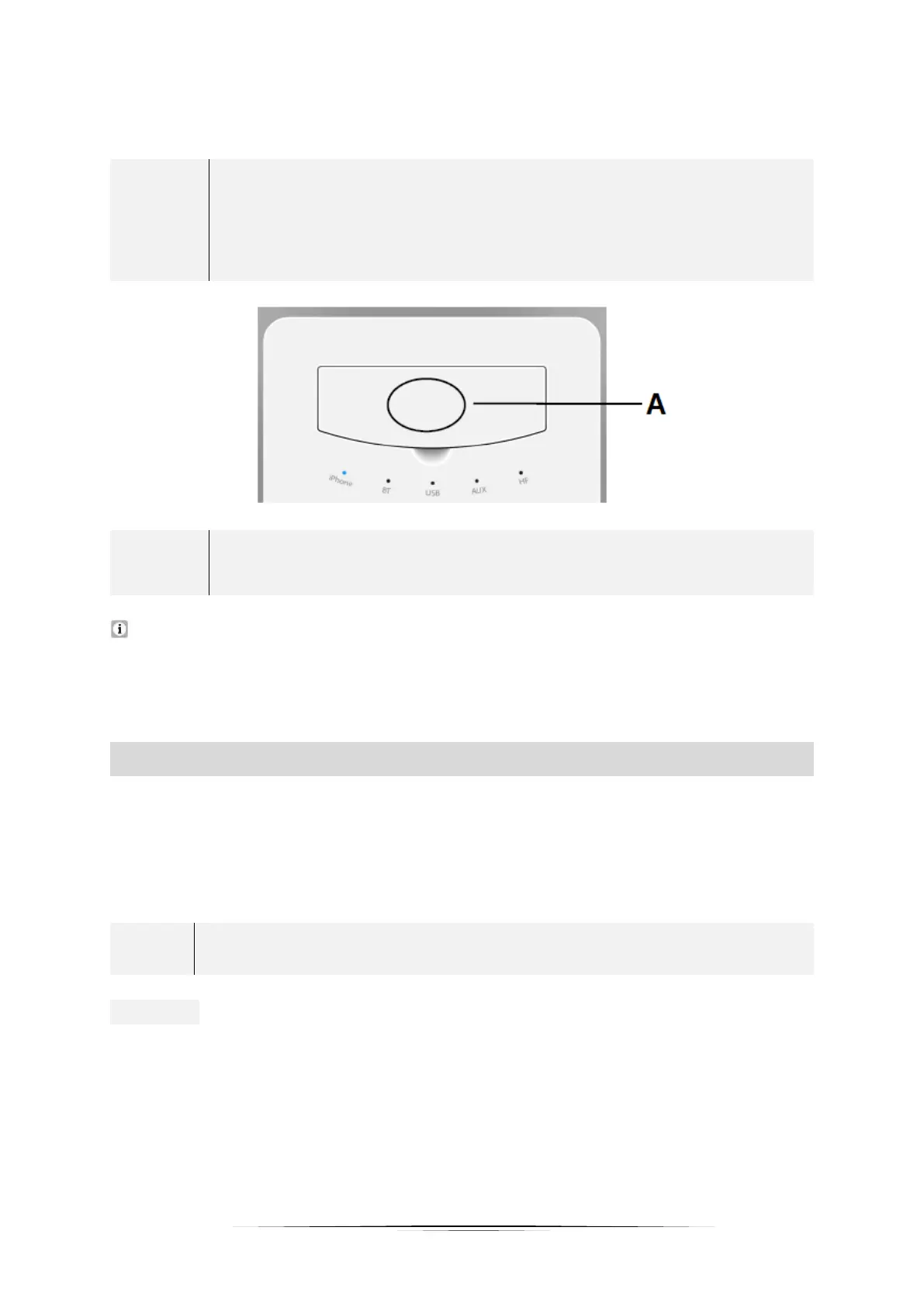
You can use the quick pairing function if your BLUETOOTH enabled
device has a Near Field Communication (NFC). Turn on the NFC
function on your device and then close the lid of the docking area
(A / s. illustration below). Your device will now automatically
connect to the MMU.
NFC
➢ Near Field Communication
INCOMING CALLS: The hands-free function of your mobile phone is available in
BLUETOOTH MODE. The call is transmitted through the speakers of the
multimedia sound system. If necessary, you can switch off this function on your
mobile phone.
PLAYING MUSIC USING A USB CONNECTION:
1. To play music using a USB connection, press the -FUNC- button (2) repeatedly
until the USB-MODE indicator (9) lights up on the MMU.
2. Then select and connect the desired source option (USB stick, mobile phone
with USB cable, etc.) to the MMU.
In USB MODE, you can charge your mobile phone using a USB cable.
NOTICE! In USB mode, only MP3 and WMA formats are supported.


 To Next Page