12
How to Use It
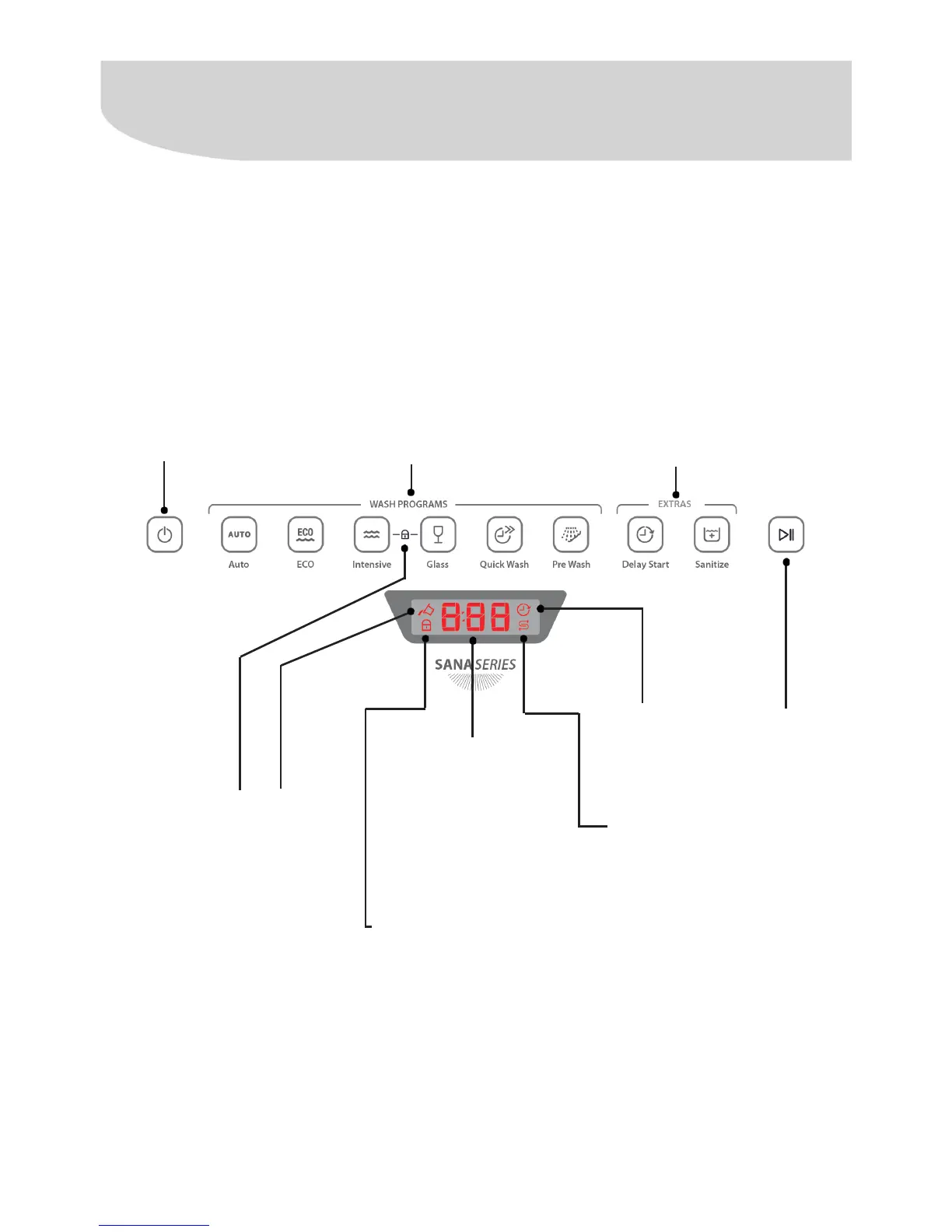
Indicator of empty
compartment:
This indicator will ash on the
panel to indicate when the
compartment of liquid rinse
aid must be relled. After the
compartment is relled, the
indicator switches off.
During a washing cycle, this
indicator stops blinking and
remains lit in the panel.
Display:
Displays the total time
of the cycle or the time
selected for the option
Delay Start.
Locked panel indicator:
Lights up on the panel to
indicate that the panel is
locked in order to prevent
the accidental changing of
the programming.
Indicator
of the
option to
Sanitize
Indicator of
the option to
Delay Start
Button
Start/Pause
Extra options:
2 extra options are
available for the
washing: Delay Start
and Sanitize.
Washing cycles:
This Dishwasher has 6 washing options:
Auto, ECO, Intensive, Glass, Quick Wash,
and Pre Wash. To select a cycle, simply tap
on the its button.
When a cycle is selected, the button of the
cycle remains lit and the display shows
the factory-set default time. For the Auto
cycle, the display will show “-:--” and the
time will only appear after the wash cycle
is started.
On/OFF button:
Switches the
Dishwasher on
and off. Press
the button for 3
seconds to cancel
the wash cycle and
switch the machine
off.
Control panel



 To Next Page