Applies to: Ultimate 64
Note that the row 1-12 corresponds to the upper row of the User Port card edge fingers on a C64,
and that the row A-N corresponds to the bottom row of the User Port card edge fingers.
Pin 13 and P, the two left most pins on the header, are added for add features to the user port. One
of the intended usages of these two pins is the generation of the “9 V~” on the user port extension
board.
There is one other use of pin 13 and P, which is the control of a LED Strip. In this case, pin 13 the
LED Clock and pin P is the LED Data, assuming a LED strip that is based on APA102C.
In the LED Strip configuration menu, the use of pind 13 and P can be chosen. When the LED Strip
is set to ‘off’, the 9 V~ generation is enabled.
Attaching the User Port Adapter
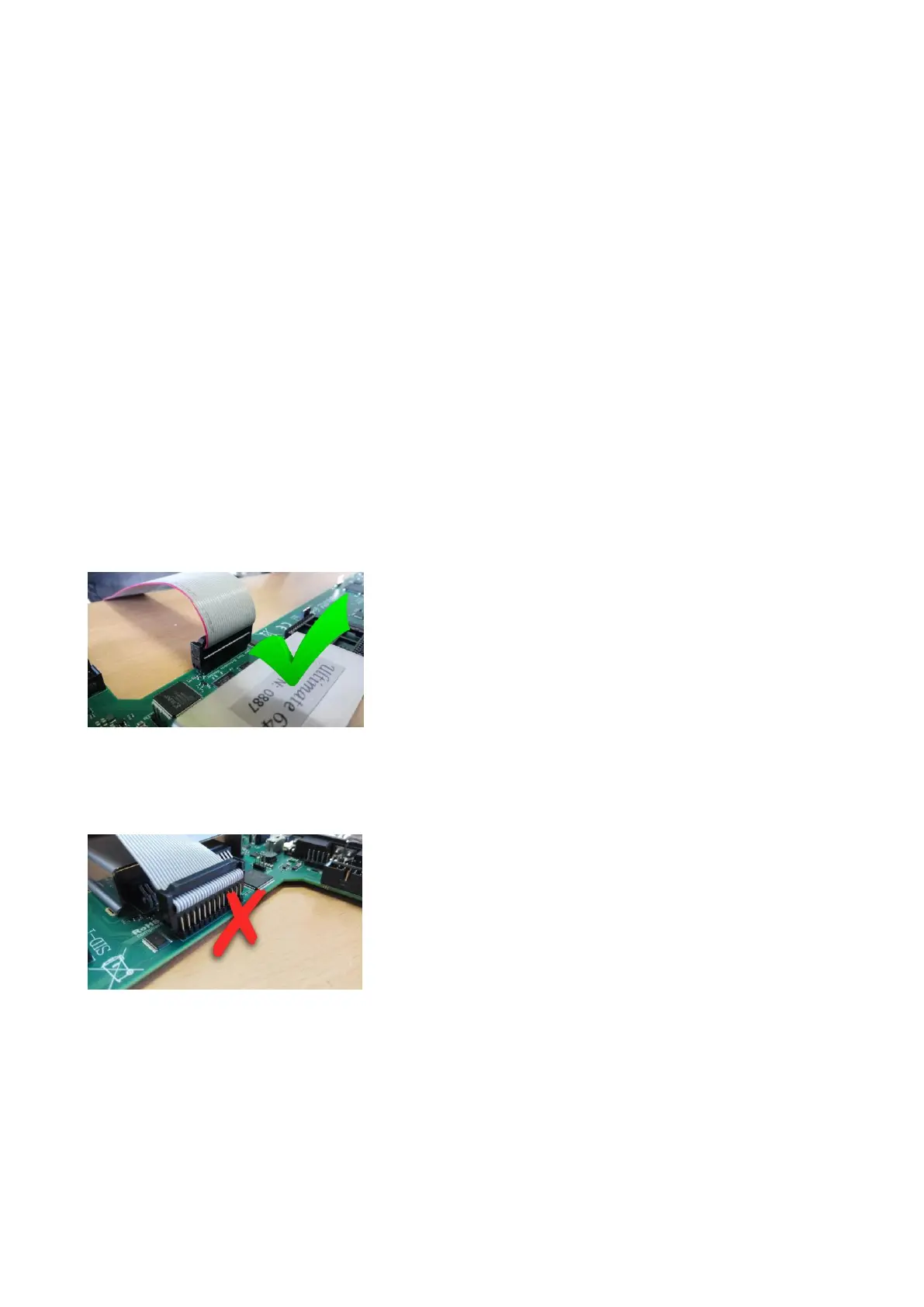
The user port adapter accessory should be connected using a 26-pin ribbon cable. Note that there is
only ONE correct way to connect it, and other ways may result in damage of the U64 itself or to the
accessory.
Pay attention to the orientation!! The red wire should line up with pin 1!!!
Please make sure the connector is not shifted a whole row, or to the left or to the right:



 To Next Page