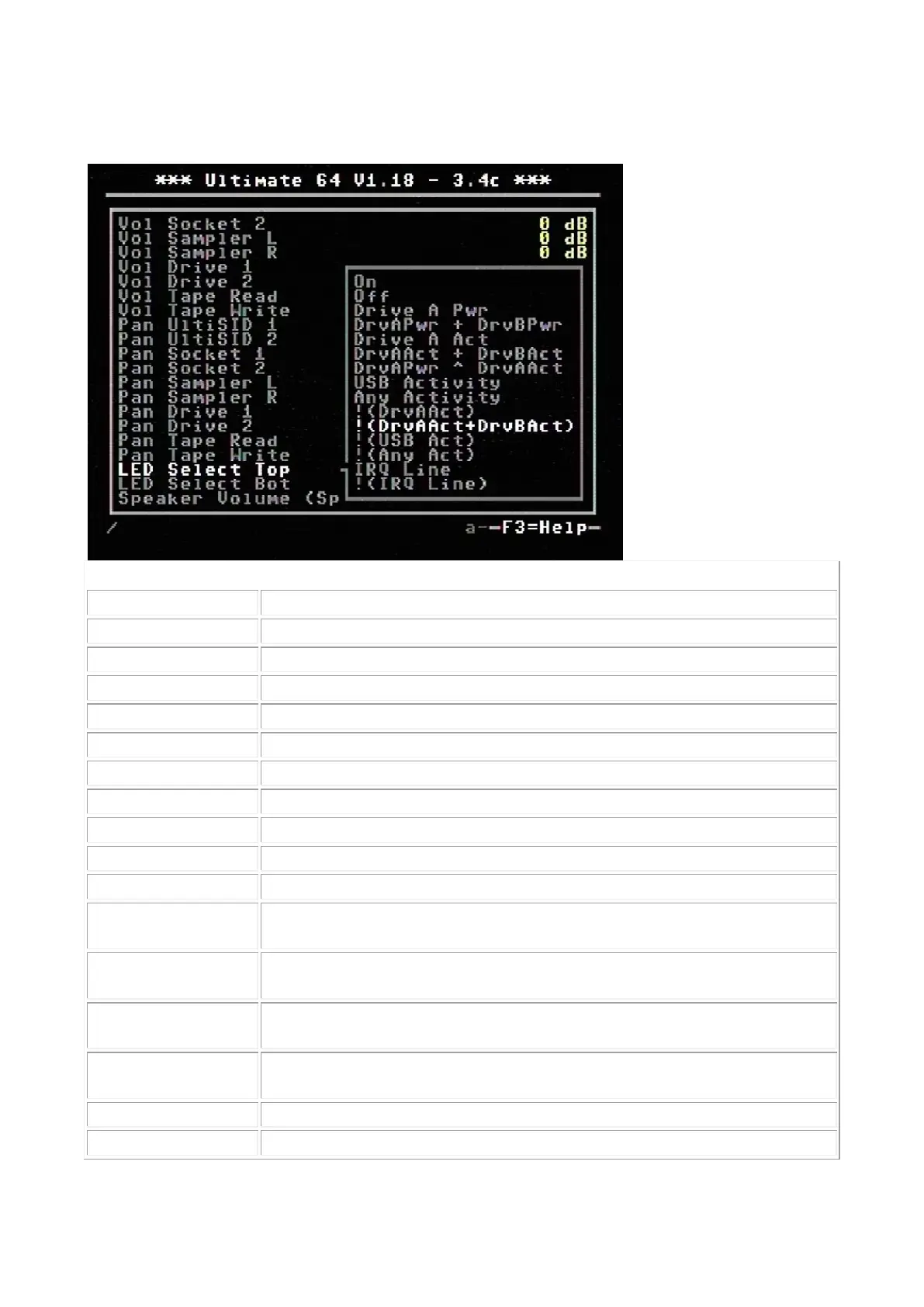
Power indicator of drive A
Power indicator of drive A and drive B combined
LED ON when there is activity on drive A
LED ON, on activity of drive A and B combined
Drive power LED XOR drive activity. This results in an inverse drive
activity, with similar dimming as the power LED has.
LED ON, on any activity (exluding tape)
Inverse of drive A activity, so the LED will turn OFF on drive activity
instead of ON
Inverse of drive A and B combined, so LED will turn OFF on activity
instead of ON
Inverse of USB Activity, so the LED will turn OFF on USB activity instead
of ON
Inverse of Any Activity, so the LED will turn OFF on any activity instead of
ON
LED is ON when IRQ line is high (inactive)
Inverse of IRQ Line, so the LED is ON when IRQ line is low (active)



 To Next Page