
 Need help?
Do you have a question about the GIGA-BYTE TECHNOLOGY GA-B250M-D3H and is the answer not in the manual?
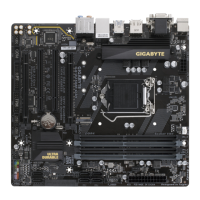
Visual guide identifying key components, connectors, and headers on the motherboard.
List of items included in the motherboard packaging for user reference.
Essential safety guidelines and anti-static procedures for handling and installing motherboard components.
Detailed technical specifications for CPU, memory, graphics, audio, LAN, and expansion slots.
Step-by-step instructions for correctly installing the CPU into the motherboard socket.
Instructions for installing DDR4 memory, including dual-channel configuration details.
Guidelines for installing expansion cards into PCI Express slots and precautions.
Detailed explanations of the purpose and function of each rear I/O port.
Identification of internal motherboard headers and connectors with their pin assignments.
Overview of the BIOS startup screen, function keys, and navigation between Easy/Classic modes.
Settings for overclocking, voltage control, and memory tuning for performance enhancement.
Configuration of system date, time, language, and access level settings.
Options for boot order, NumLock, security, fast boot, and OS compatibility.
Enabling or disabling onboard devices like graphics, audio, LAN, and USB controllers.
Configuration for Intel VT-d, onboard graphics memory, audio, LAN, and other chipset features.
Settings for platform power management, AC power recovery, and power-on behavior.
Procedures for saving BIOS settings, exiting, loading defaults, and managing profiles.
Instructions for installing essential system drivers and software from the motherboard disc.
Information on RoHS, WEEE directives, and responsible disposal of electronic products.
Compliance statements for U.S. FCC Rules and Canadian Industry Canada (IC) regulations.
Guide to accessing GIGABYTE's online support for technical assistance and resources.
 General
| Form Factor | Micro ATX |
|---|---|
| Socket | LGA 1151 |
| Chipset | Intel B250 |
| Memory Slots | 4 |
| Memory Type | DDR4 |
| Maximum Memory | 64 GB |
| RAID Support | RAID 0, RAID 1, RAID 5, and RAID 10 |
| Video Outputs | HDMI, DVI-D, VGA |
| Integrated Graphics | Yes |
| PCI Express Slots | 1 x PCIe 3.0 x16, 2 x PCIe 3.0 x1 |
| Storage Interface | 6 x SATA 6Gb/s, 1 x M.2 (PCIe 3.0 x4 / SATA) |
| USB Ports | 6 x USB 3.1 Gen1 (4 rear, 2 via header), 6 x USB 2.0 (2 rear, 4 via headers) |
| Audio | Realtek ALC887 |
| Audio Chipset | Realtek ALC887 |





 To Next Page