
 Need help?
Do you have a question about the GIGA-BYTE TECHNOLOGY GA-H110-D3 and is the answer not in the manual?
Conforms to EMC Directive 2014/30/EU requirements.
Conforms to Low Voltage Directive 2014/35/EU requirements.
Conforms to RoHS Directive 2011/65/EU requirements.
Conforms to FCC Part 15, Subpart B, Class B digital device regulations.
Legal notice regarding copyright and trademarks of the manual.
Information regarding manual accuracy, changes, and liability.
Guide on how to locate and understand the motherboard revision number.
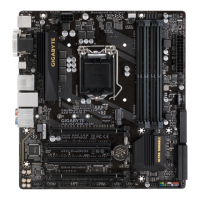
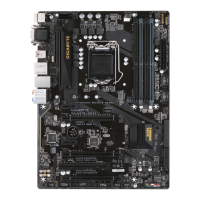
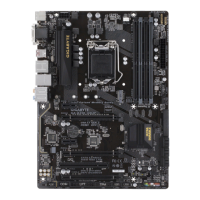
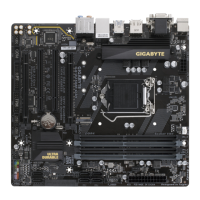
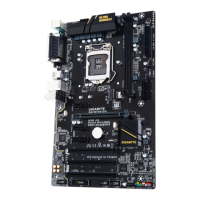
Diagram showing and labeling key motherboard components.
Lists all items included in the motherboard package.
Essential safety guidelines and precautions before installing hardware.
Lists compatible CPU models and the motherboard's chipset.
Details memory types, capacities, and onboard graphics features.
Information on audio codec, LAN chip, and expansion slot types.
Details SATA connectors, M.2 socket, and USB port types.
Pinout diagrams for various internal motherboard connectors.
Explains the function of each back panel connector.
Details on I/O controller and system monitoring capabilities.
Information about BIOS flash memory and general BIOS features.
Highlights unique features like APP Center and EasyTune.
Lists included software and supported operating systems.
Specifies the physical form factor of the motherboard.
Step-by-step guide for safely installing the CPU.
Step-by-step guide for safely installing memory modules.
Explains how to configure memory for dual channel performance.
Precautions and instructions for installing expansion cards.
Detailed descriptions of back panel ports like PS/2, Serial, VGA, USB, LAN.
Explains USB 2.0/1.1 ports and the function of audio jacks.
Notes on 7.1 audio setup and safe connector removal.
Labeled diagram of all internal motherboard connectors.
Pinout information for ATX power and fan headers.
Pinout details for front panel and audio headers.
Information on TPM, CMOS reset, and the system battery.
Detailed pin assignments for ATX 12V and ATX power connectors.
Pinout configurations for CPU and system fan headers.
Recommendations for correctly connecting fan cables to headers.
Details on SATA 6Gb/s connectors and hot-plugging.
Step-by-step instructions for installing an M.2 SSD.
Shows which SATA ports are compatible with M.2 SSDs.
Pin assignments for connecting chassis front panel controls and LEDs.
Pin assignments for connecting the chassis front panel audio module.
Important notes for connecting front panel audio wiring.
Explains the use of the S/PDIF Out header for digital audio.
Pinout diagram for the USB 3.0/2.0 internal header.
Pinout diagram for the USB 2.0/1.1 internal header.
Warning regarding incorrect connection of USB brackets.
Pinout and description for the Trusted Platform Module header.
Instructions on how to use the Clear CMOS jumper.
Explains the CMOS battery's role and replacement precautions.
Introduction to BIOS functions and how to enter setup.
Information on Q-Flash, @BIOS, and potential risks.
Description of the initial screen displayed during system boot.
Displays current system frequencies, voltages, and temperatures.
Options for adjusting CPU and memory frequencies.
Controls CPU clock multiplier and displays current frequency.
Advanced settings for CPU cores and frequency.
Allows adjustment of the CPU Uncore ratio.
Settings for Intel Turbo Boost technology and turbo ratios.
Controls for CPU power limits and current draw.
Options to enable/disable CPU cores and Hyper-Threading.
Controls for various CPU power saving halt states.
Settings for processor C-state limits and thermal protection.
Enables Intel EIST and voltage optimization for power saving.
Adjusts memory multiplier and displays frequencies.
Detailed memory settings including timings and interleaving.
Configures memory training and performance enhancements.
Settings for memory timing modes and DDR voltage display.
Options for memory auto-tuning, channel, and rank interleaving.
Fine-tuning options for memory compatibility and stability.
Configures load-line calibration for CPU voltages.
Provides options for controlling CPU and DRAM voltages.
Manages and displays chassis intrusion detection status.
Displays current system voltages and CPU/system temperatures.
Monitors and controls CPU and system fan speeds.
Configures fan fail warnings and manual speed percentage.
Controls the speed of the second system fan.
Other system configuration options like Link Speed.
Adjusts PCI Express link speed and enhances legacy benchmarks.
Displays model name, BIOS version, and date.
Allows selection of BIOS language and setting of system date/time.
Shows current access level and password protection status.
Specifies the order of boot devices.
Configures bootup NumLock state and security password options.
Controls GIGABYTE logo display and boot speed.
Configures boot support for SATA, VGA, and USB devices.
Settings for PS/2 devices, network boot, and AC power loss.
Manages compatibility support for legacy boot and option ROMs.
Controls PCI device ROMs and network boot stack.
Enables or disables IPv4/IPv6 PXE boot support.
Sets administrator and user passwords for BIOS access.
Configures Intel PTT and primary display output.
Enables or disables onboard LAN and audio LED.
Controls legacy USB support and XHCI hand-off.
Manages USB storage devices and displays SATA controller info.
Settings for Trusted Computing and BIOS Guard protection.
Configures SATA controllers, mode, and LPM support.
Enables individual SATA ports and hot plug capability.
Information on NVMe SSDs and Realtek LAN configuration.
Configures Intel Virtualization Technology and onboard graphics.
Adjusts the amount of system memory allocated to graphics.
Controls onboard audio and High Precision Timer.
Determines system state after AC power restoration.
Enables system power-on using keyboard or mouse.
Sets a password required to power on the system.
Enables energy saving in the S5 shutdown state.
Configures power button actions and power loading behavior.
Sets scheduled wake-up times and RC6 standby mode.
Configures ASPM for various system components.
Instructions for saving changes and exiting the BIOS Setup utility.
Resets BIOS settings to factory defaults.
Allows immediate boot device selection and profile saving/loading.
Step-by-step guide for installing motherboard drivers.
How to use the Xpress Install feature for driver installation.
Legal notices, copyright, and disclaimers regarding the document.
Information on compliance with RoHS and WEEE environmental directives.
Explanation of the WEEE symbol and guidance on recycling.
Details FCC regulations for Class B digital devices.
Details Industry Canada regulations for Class B digital devices.
Provides GIGABYTE's official address and contact numbers.
Information on accessing GIGABYTE's online support resources.
 General
| Socket | LGA 1151 |
|---|---|
| Chipset | Intel H110 |
| Form Factor | ATX |
| Memory Type | DDR4 |
| Memory Slots | 2 |
| Max Memory | 32 GB |
| Graphics Interface | PCI Express 3.0 x16 |
| PCI Express x16 Slots | 1 |
| PCI Express x1 Slots | 2 |
| SATA 6Gb/s Ports | 4 |
| USB 3.0 Ports | 2 |
| USB 2.0 Ports | 6 |
| Audio | Realtek ALC887 |
| LAN | Realtek GbE |
| Video Outputs | DVI-D, VGA |





 To Next Page