EasyManua.ls Logo

Gigabyte B760I AORUS PRO DDR4 - User Manual

Gigabyte B760I AORUS PRO DDR4
37 pages
To Next Page IconTo Next Page
Loading...
B760I AORUS PRO DDR4
User's Manual
Rev. 1001
For more product details, please visit GIGABYTE's website.
https://www.gigabyte.com/Motherboard/B760I-AORUS-PRO-DDR4-rev-10?m=ma#kf
GIGABYTE will reduce paper use in order to fulll the responsibilities of a global citizen.
Also, to reduce the impacts on global warming, the packaging materials of this product
are recyclable and reusable. GIGABYTE works with you to protect the environment.
Question and Answer IconNeed help?

Do you have a question about the Gigabyte B760I AORUS PRO DDR4 and is the answer not in the manual?

Gigabyte B760I AORUS PRO DDR4 Specifications

General IconGeneral
BrandGigabyte
ModelB760I AORUS PRO DDR4
CategoryMotherboard
LanguageEnglish

Summary

Copyright

Disclaimer

Identifying Your Motherboard Revision

Chapter 1 Product Introduction

1-1 Motherboard Layout

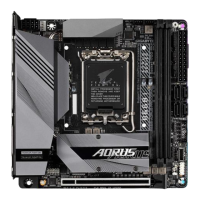
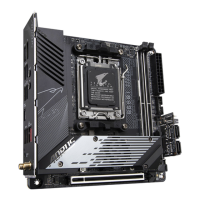
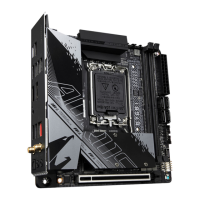
Diagram showing physical layout of motherboard components and connectors.

1-2 Motherboard Block Diagram

1-3 Box Contents

Chapter 2 Hardware Installation

2-1 Installation Precautions

Important safety and handling guidelines before installing hardware.

2-2 Product Specifications

Connector and Interface Specifications

System Components and Features

2-3 Installing the CPU and CPU Cooler

CPU Orientation Guide

Visual guide to orienting the CPU correctly in the socket.

Installing the CPU

Installing the CPU Cooler

2-4 Installing the Memory

Dual Channel Memory Configuration

Explanation of dual-channel memory setup and socket configuration.

2-5 Installing an Expansion Card

2-6 Back Panel Connectors

Additional Back Panel Connectors

2-7 Internal Connectors

Power Connectors

Fan Headers and Pump Connectors

LED Strip Headers

M.2 Socket 3 Connectors

SATA Connectors and Chassis Intrusion Header

Front Panel Header

Speaker and Front Panel Audio Headers

USB Headers

USB 2.0 Header and Reset Jumper

CMOS Clear and Battery Information

Chapter 3 BIOS Setup

BIOS Setup Access and Upgrade

How to enter BIOS setup and use Q-Flash/Q-Flash Plus for BIOS updates.

Startup Screen and Function Keys

Chapter 4 Installing the Operating System and Drivers

4-1 Operating System Installation

Steps for installing the OS, including loading Intel RST VMD Controller driver.

4-2 Drivers Installation

Chapter 5 Appendix

5-1 Configuring a RAID Set

Instructions for setting up RAID arrays with SATA drives.

Regulatory Notices

EU Compliance and Declarations

Regional Wireless Module Approvals

Contact Us

GIGABYTE eSupport

Information on how to contact GIGABYTE for technical support and inquiries.
Related product manuals