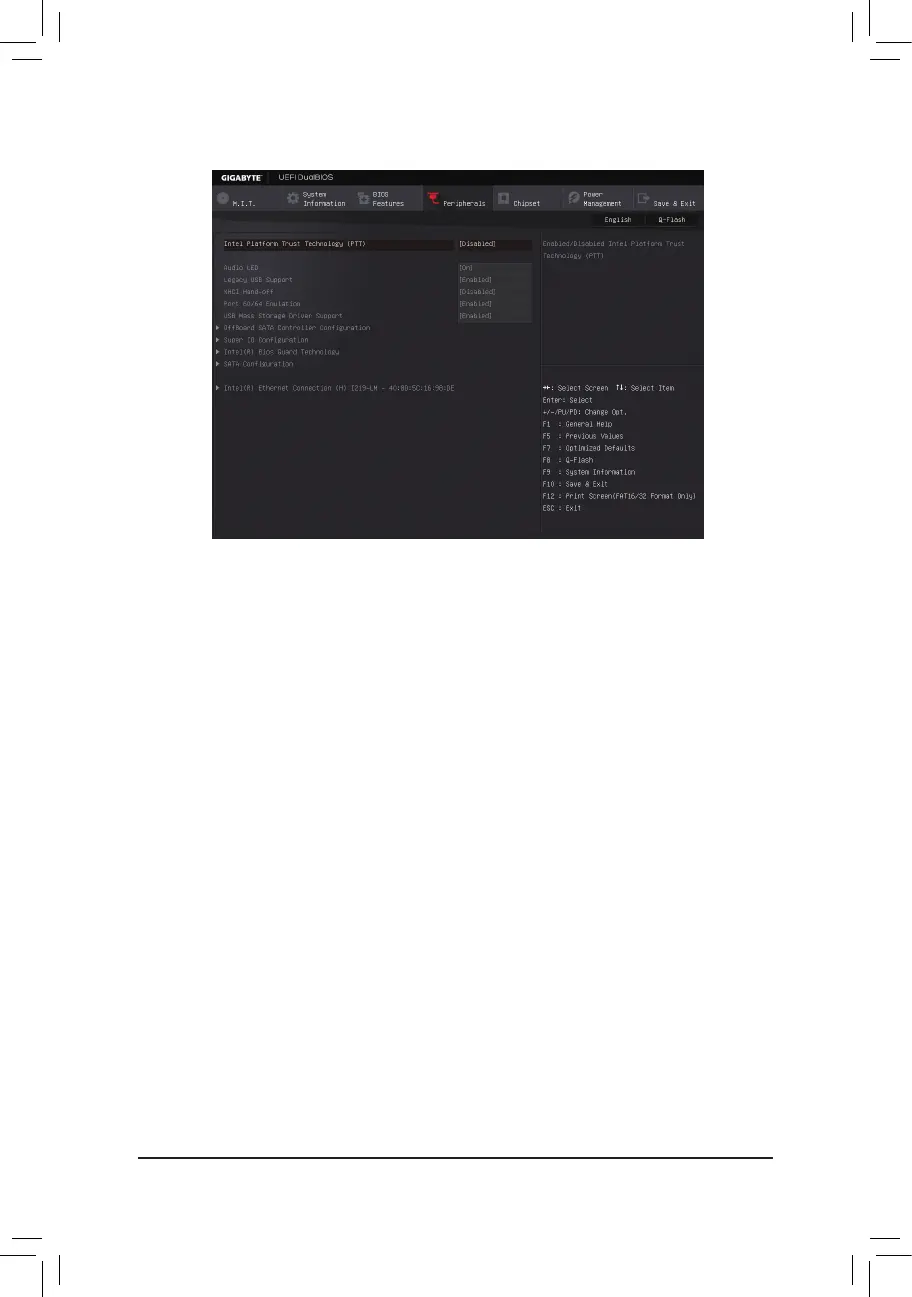
2-5 Peripherals
& Intel Platform Trust Technology (PTT)
Enables or disables Intel
®
PTT Technology. (Default: Disabled)
& Audio LED
Enables or disables the onboard audio LED. (Default: On)
& Legacy USB Support
Allows USB keyboard/mouse to be used in MS-DOS. (Default: Enabled)
& XHCI Hand-off
Determines whether to enable XHCI Hand-off feature for an operating system without XHCI Hand-off
support. (Default: Disabled)
& Port 60/64 Emulation
Enables or disables emulation of I/O ports 64h and 60h. This should be enabled for full legacy support
for USB keyboards/mice in MS-DOS or in operating system that does not natively support USB devices.
(Default: Enabled)
& USB Mass Storage Driver Support
Enables or disables support for USB storage devices. (Default: Enabled)
& USB Storage Devices
Displays a list of connected USB mass storage devices. This item appears only when a USB storage device
is installed.
` OffBoardSATAControllerConguration
Displays information on your M.2 PCIe SSD if installed.
` Trusted Computing 2.0
This sub-menu appears only when Intel Platform Trust Technology is set to Enabled.
& Security Device Support
Enables or disables Trusted Platform Module (TPM). (Default: Enable)
- 31 -




 To Next Page