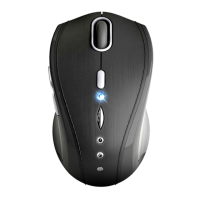
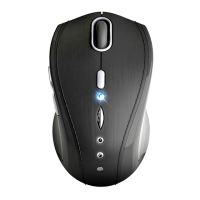
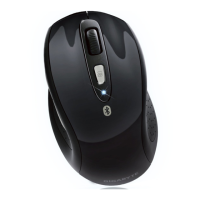
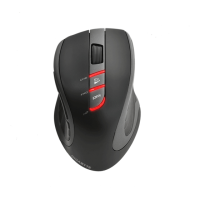
This document describes the GIGABYTE AIRE M60 Wireless Mouse, a sophisticated optical mouse designed for enhanced productivity and comfort. The manual also covers its accompanying wireless receiver, model AIREM60RX.
Function Description
The GIGABYTE AIRE M60 is a wireless optical mouse that utilizes 2.4GHz RF dual-way transmission technology for automatic communication between the mouse and its receiver. This technology ensures a reliable connection and allows the mouse and receiver to auto-communicate, even transferring to another channel if interference is encountered. The mouse is designed to provide precise cursor control and is suitable for various computing tasks.
Important Technical Specifications
- Model Number: GM-AIRE M60 (Mouse)
- Product Name (Mouse): Sapphire Blue Optical Mouse
- Receiver Model Number: AIREM60RX
- Product Name (Receiver): Wireless Receiver
- Tracking Engine: Laser tracking engine
- DPI: Accurate 3200DPI
- Wireless Technology: 2.4GHz RF dual-way transmission
- Battery Life: 24 months
- FCC Compliance:
- Mouse: FCC ID: JCK28713AIREM60
- Receiver: FCC ID: JCK287137580RX
- Complies with Part 15 of the FCC Rules, meaning it may not cause harmful interference and must accept any interference received.
Usage Features
The AIRE M60 mouse offers several features to enhance user experience:
- High Sensitivity and Tracking Speed: The laser tracking engine provides incredible sensitivity to surface details and high tracking speed, allowing it to track reliably even on tricky surfaces like wood-grain.
- Hardware Installation:
- Battery Insertion: Open the battery compartment, fit batteries according to the diagram, and close the cover.
- Power On: Ensure the power on-off switch on the mouse is in the ON position. The LED bar will blink for 3 seconds to indicate power is on.
- Receiver Connection: Turn on your PC and connect the wireless receiver to a USB port.
- Auto-link Mode: Once the mouse is powered on and the receiver is connected, the mouse and receiver will automatically link, and cursor movement will map to mouse movement.
- Manual-link Mode: If communication issues arise, a software communication tool (available on the website) can be used to re-connect the mouse and receiver and reset a new channel ID.
- Power Saving Management: The unit features strong power saving management. When the mouse enters sleeping mode, any key press on the mouse will wake it up. A power on/off switch is also provided to conserve battery power during longer periods of non-usage.
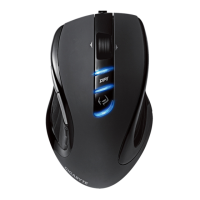
- DPI Adjustment: The mouse includes a dedicated DPI button (UHD, FHD, HD) for on-the-fly sensitivity adjustments.
- Compatibility: The mouse is designed to work with PCs via a USB receiver.
Maintenance Features
To ensure optimal performance and longevity of the GIGABYTE AIRE M60 Wireless Mouse, the following maintenance features and reminders are provided:
- Battery Replacement:
- The red LED on the scroll wheel serves as a low battery power indicator, signaling that batteries need to be replaced.
- Replace with a pair of new batteries, following the same insertion instructions as initial setup.
- Battery Use Reminders:
- Remove worn-out batteries immediately and dispose of them promptly.
- Keep all batteries (used or new) out of reach of children.
- Regularly check batteries and replace them if the mouse is not used for a long time.
- Never dispose of batteries in fire, as they could explode.
- Always replace all batteries at the same time; mixing old and new or different types (e.g., alkaline with zinc carbon) can reduce performance and cause leakage or rupture.
- Do not mix different types of batteries (e.g., NiMH, NiCd, alkaline) in the mouse.
- Remove batteries from the device if it will not be used for a long time.
- Replace batteries when performance substantially decreases.
- Troubleshooting Communication Issues:
- Ensure the receiver is correctly connected to the PC's USB port.
- For best performance, locate the receiver away from other electrical devices (e.g., computer monitor, external storage).
- Verify that communication between the receiver and mouse has been established (refer to the communication section).
- If communication issues persist, use the software connection tool to re-connect and reset the channel ID.
- Check for conflicts with other system devices' IRQ/address settings and adjust as needed.
- Avoid using the mouse on glossy or reflective surfaces for optimal tracking.
- Disposal Information: The product features a symbol indicating that electrical and electronic equipment should be disposed of separately from household waste at the end of its life. There are separate collection systems for recycling in the EU. Users are advised to contact local authorities or retailers for more information on proper disposal.
The product specifications are subject to change without notice, and all other brands and trademarks mentioned are the properties of their respective owners.

 Need help?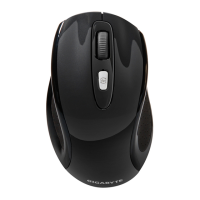



 To Next Page
 General