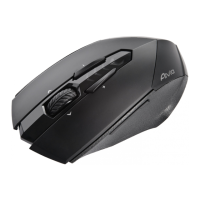
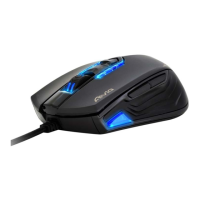
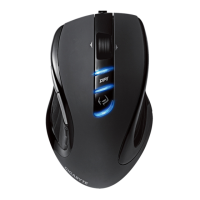
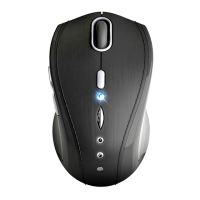
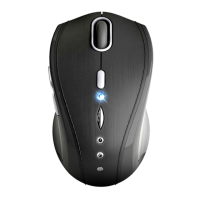
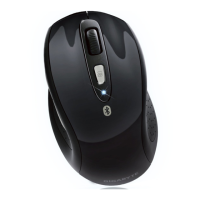
The AIRE M93 ICE is an Anywhere Wireless Mouse, designed for enhanced productivity and comfort with its innovative wireless laser technology. This device, manufactured by GIGABYTE, is identified by Model No.: GM-AIRE M93 ICE, and its accompanying Wireless Receiver has Model No.: 28713C55RX.
Function Description:
The AIRE M93 ICE is a wireless laser mouse that offers precise tracking and sensitivity across various surfaces, including tricky wood-grain and shiny finishes. It utilizes 2.4GHz RF technology for dual-way transmission and auto-communication between the mouse and its receiver, ensuring a stable connection. The mouse is designed for plug-and-play operation with an auto-link feature, making setup straightforward. It supports adjustable DPI settings, allowing users to switch between 1200 and 2000 DPI for different tasks and preferences. A key feature is the GIGABYTE Free-Scrolling Technology™ Switch, which enhances navigation. The mouse also incorporates a power on/off switch to conserve battery life during periods of non-usage.
Important Technical Specifications:
- Model Number (Mouse): GM-AIRE M93 ICE
- Model Name (Mouse): Anywhere Wireless Mouse
- Model Number (Receiver): 28713C55RX
- Model Name (Receiver): Wireless Receiver
- Wireless Technology: 2.4GHz RF with dual-way transmission
- Tracking Engine: Laser
- DPI Settings: Adjustable between 1200 and 2000 DPI
- Receiver Type: Nano receiver, micro-USB
- Battery Type: Rechargeable (charging via micro USB port)
- Indicators:
- LED on the bar blinks for 3 seconds when mouse power is on.
- Red LED on the scroll wheel indicates low battery power.
- BLUE indicator light blinks during battery charging and stops when fully charged.
- Power Saving: Strong power saving management; enters sleeping mode, requiring a key press to wake up.
Usage Features:
- Auto-Link, Plug-and-Play: The mouse and receiver automatically link upon power-on and operation, simplifying initial setup.
- Rechargeable Battery: Equipped with a rechargeable battery that can be charged via a micro USB port using the provided micro-USB line. The charging status is indicated by a blinking blue light.
- Adjustable DPI: Users can switch between 1200 and 2000 DPI to suit various tasks, from precise graphic design to fast-paced browsing.
- GIGABYTE Free-Scrolling Technology™: Enhances the scrolling experience, providing more fluid and efficient navigation.
- Nano Receiver: A compact USB receiver that can be connected to any USB port on a PC.
- Interference Management: In case of interference, the mouse and receiver automatically switch to another channel, though this may cause a brief cursor delay.
- Battery Installation: Requires careful placement of batteries according to the diagram in the battery cabinet. A warning is provided against incorrect placement to prevent overheating.
- Wake-up Function: If the mouse enters sleeping mode, any key press on the mouse will wake it up.
Maintenance Features:
- Battery Replacement: When the red LED on the scroll wheel indicates low battery, new batteries should be installed following the instructions for proper placement.
- Battery Charging: The mouse's rechargeable batteries can be charged by connecting the micro-USB nano-receiver to a USB port using the micro-USB line. The blue indicator light will blink during charging and stop when fully charged.
- Power On/Off Switch: A dedicated switch allows users to turn off the mouse to save battery power during extended periods of non-use.
- Troubleshooting Guide: The manual provides steps for common issues, such as ensuring correct receiver connection, positioning the receiver away from other electric devices, confirming communication settings, and avoiding glossy or reflective surfaces for optimal mouse operation. It also suggests using software connection tools for re-connecting the mouse and receiver if communication channels are problematic.
- Battery Use Reminders:
- Promptly remove and dispose of worn-out batteries.
- Keep batteries out of reach of children.
- Regularly check and replace batteries if not used for a long time.
- Never dispose of batteries in fire.
- Always replace all batteries at the same time and avoid mixing old/new or different types of batteries (e.g., alkaline with zinc carbon, NiMH, NiCd) to prevent reduced performance, leakage, or rupture.
- Remove batteries from the device if it will not be used for an extended period.
- Replace batteries when performance substantially decreases.
- Rechargeable Battery Notice: Users are warned not to disassemble or modify the battery pack to prevent explosion or liquid leakage, and such actions will void the warranty.
- FCC Compliance: The device complies with Part 15 of FCC Rules, ensuring it does not cause harmful interference and accepts any received interference. Users are advised to reorient/relocate the receiving antenna, increase separation between equipment and receiver, or connect the equipment to a different circuit if interference occurs. Any unauthorized changes or modifications could void the user's authority to operate the equipment.
- Environmental Disposal: The product features a symbol indicating that it should be disposed of separately from household waste at the end of its life, encouraging recycling through designated collection systems in the EU.

 Need help?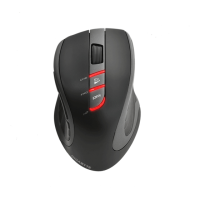



 To Next Page
 General