- 13 -
Picture
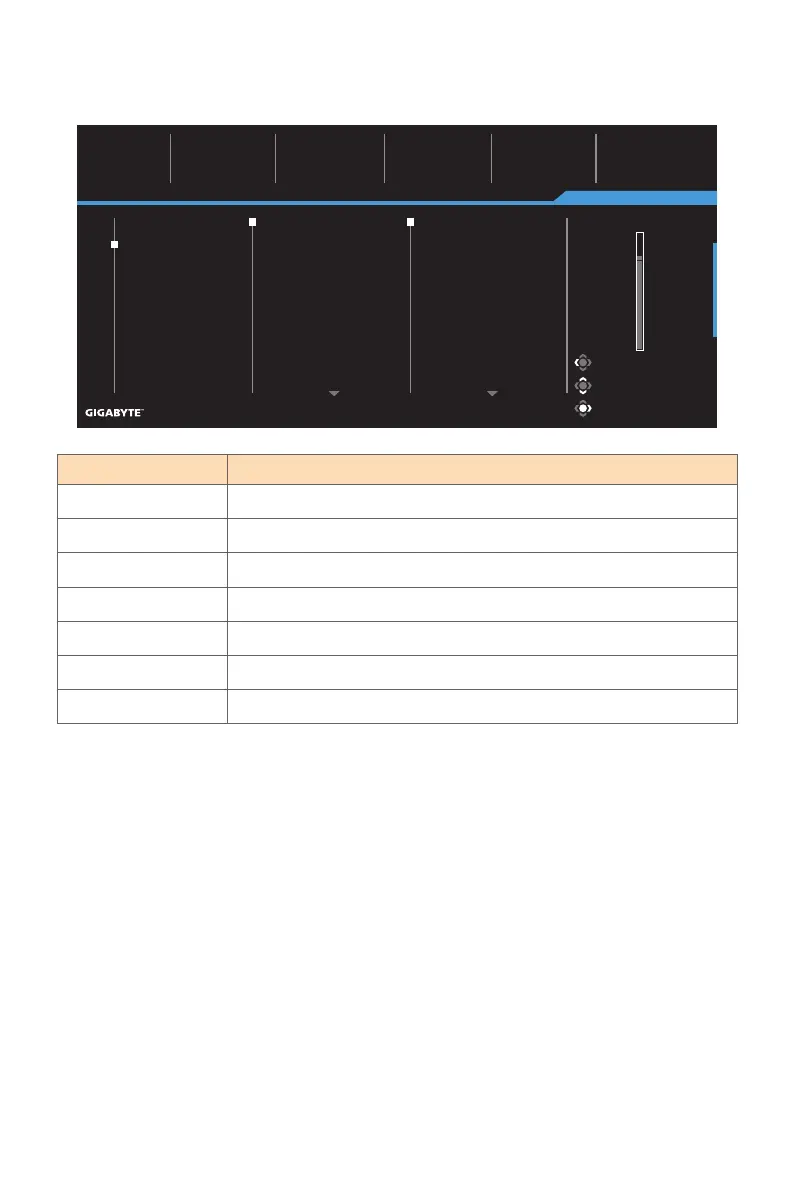
Configure the image related settings.
Item Description
Standard For editing documents or browsing websites.
Gaming For playing games.
Movie For watching movies.
Reader For viewing documents.
sRGB For viewing photos and graphics on the computer.
Custom Customized picture mode settings.
ECO For Energy saving mode.
Note: The Monitor uses a Low Blue Light panel and compliance with TÜV Rheinland
Low Blue Light Hardware Solution at factory reset/default setting mode.
Picture Mode: Standard
Gaming
Picture
Display
System
Language
Reset all
SDR Brightness
80
Contrast
50
Color Temperature
Normal
Sharpness
5
Gamma
Gamma 3
Standard
Gaming
Movie
Reader
sRGB
Custom
ECO
Brightness
Contrast
Color Vibrance
Sharpness
Gamma
Color Temperature
Low Blue Light
Exit
Move/Adjust
Enter/Confirm
Picture Mode: Standard
80



 To Next Page