- 7 -
USING THE DEVICE
TurningthePowerOn/Off
PowerOn
1. Connect one end of the power cable to the AC IN jack at the rear of the monitor.
2. Connect other end of the power cable to a power outlet.
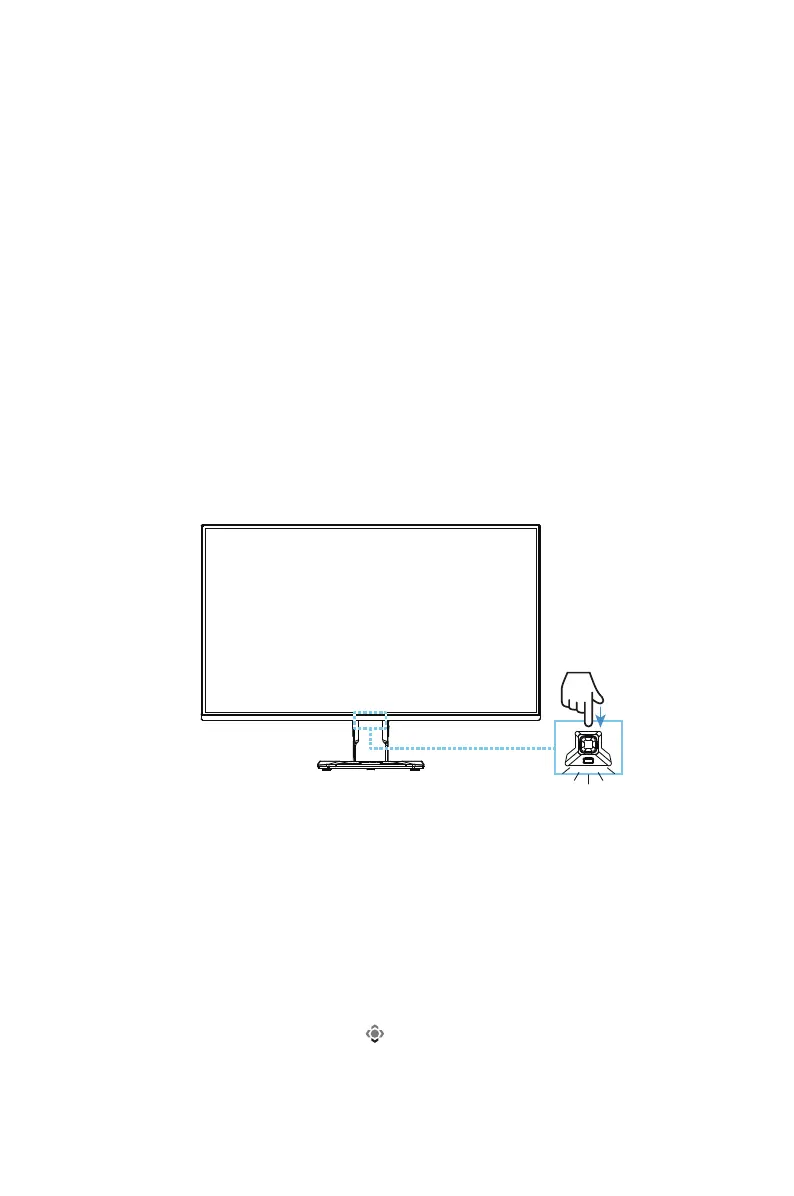
3. Press the Control button to turn on the monitor. The Power LED will light in
white, indicating the monitor is ready to use.
Note: If the power LED fails to turn on even after the monitor is switched on, check
the LED settings in the Settings menu. Refer to page 16.
PowerOff
Press the Control button for 2 seconds to turn off the monitor.
Note: When the Main menu appears on the screen, you can also turn off the monitor
by moving the Control button down ( ). Refer to page 10.
PreparingyourMonitorforWall-Mounting
Note: Use only a 100 x 100 mm VESA compatible wall mount kit to mount the
monitor on the wall. Refer to the installation guide included in the wall-mount
bracket kit. VESA mounting screw quantity and size: 4 x M4 x 10mm minimum.



 To Next Page