- 8 -
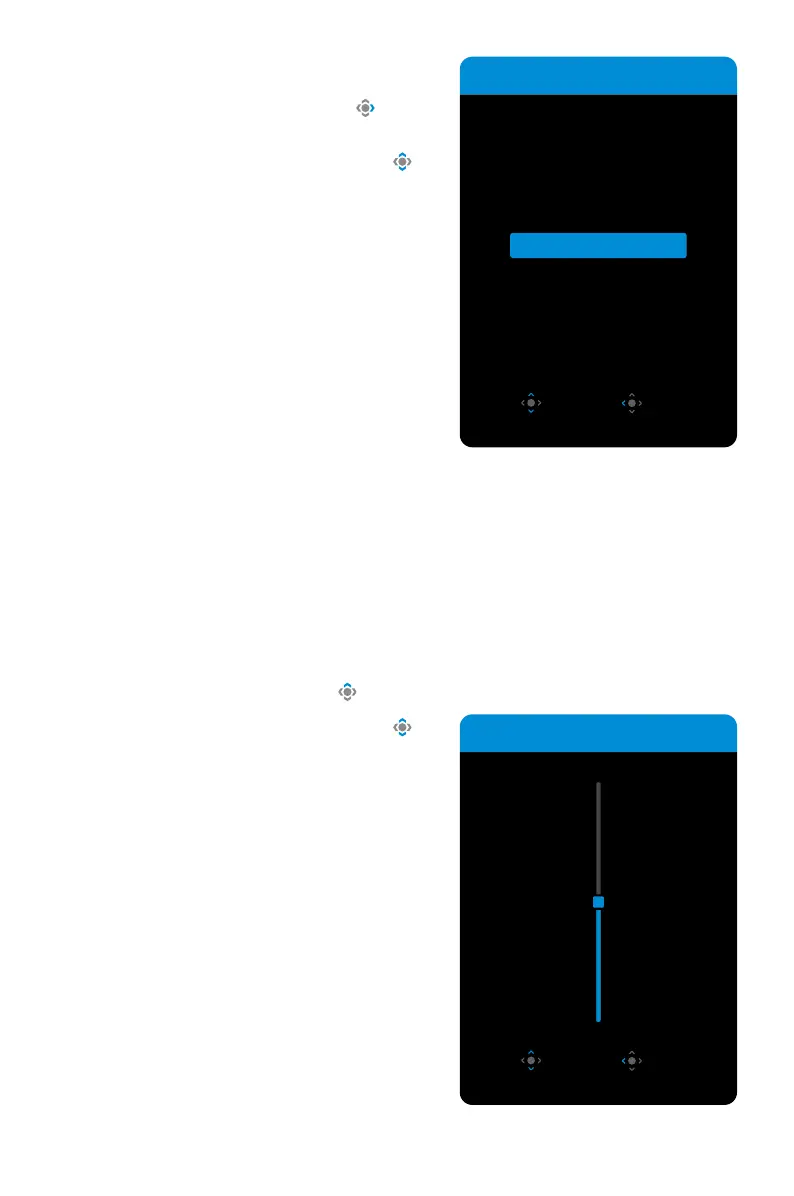
SelectingtheInputSource
1. Move the Control button right ( ) to
enter the Input menu.
2. Move the Control button up/down ( ) to
select the desired input source. Then press
the Control button to confirm.
OPERATIONS
QuickSwitchMenu
By default, the Control button has been assigned with the specific function.
Note: To change the preset functions, refer to the “Quick Switch” section on page 18.
To access the Quick Switch functions, do the following:
• Move the Control button up ( ) to enter the BlackEqualizer menu.
Move the Control button up/down ( ) to
adjust the setting and press the Control
button to confirm.
Black Equalizer
10
Adjust Exit
Input
Select Exit
HDMI 1
HDMI 2
DisplayPort
Type-C



 To Next Page