2
gaset
590
31008-
2045-
701-4-7619
overv
ew_
.
m
20.10.2011
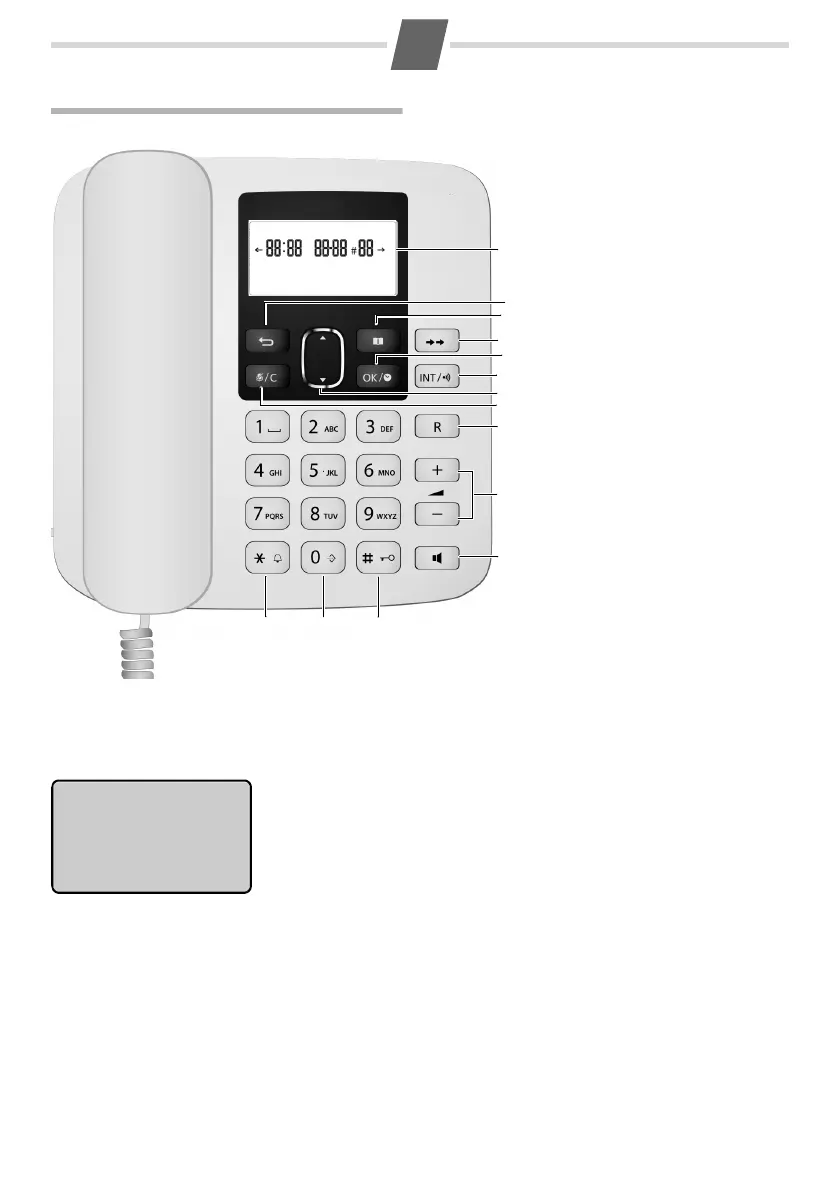
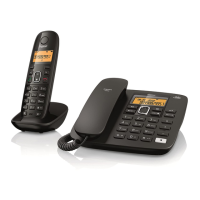
The base at a glance
Base display
Display icons
1 Display in idle mode
2 Back key
3 Phone book (¢ page 15)
Show first entry /
Add new entry*
4 Redial key (¢ page 14)
5 OK key / Clock key *
6 Intercom key:
Paging (¢ page 16)
Registration * (¢ page 16)
7 Calls list key (¢ page 13)
Open / Scrolling up/down
8 Mute key (¢ page 12) /
Delete key* when editing
phone book, lists or predial
-
ling
9 Recall key
Consultation call (flash)
Dialling pause*
10 Volume keys: Ringer vol-
ume (¢ page 19)
Talk volume (¢ page 12)
11 Loudspeaker (Hands-free)
key
(¢ page 12)
12 Star key / Ringer off key*
13 Call-by-call key*
(¢ page 12)
14 Hash (#) Key /
Keypad lock on/off key*
(¢ page 9)
* To activate a function marked with an asterisk (*) press and hold the corresponding key.
Time (HH:MM): Current time or time of incoming call in calls list
Date (DD-MM): Current date or date of incoming call in calls list
#NN Number of entries in calls list or phone book if opened
Phone number: Displayed in calls list, redial and dialled numbers and
phone book entries.
 Ãindicates that there are more
characters on the right or left side to be displayed. Press
Ì to display hidden digits.
Â12:30 31-10 #04 Ã
01234567890987
ª
Talk icon
Ø
Keypad lock is activated
Steady: Ongoing call
Y
Calls list icon
Flashing: Incoming call received Steady: Already inspected calls in calls list
·
Microphone is deactivated (Mute) Flashing: New calls in calls list

Phone book is opened Off: No call in calls list
Ú
Ringer is deactivated


 To Next Page